Most CPA firms preparing business tax returns follow the same process: receive the client's trial balance, open the tax return, and begin manually entering account balances into the appropriate fields. Asset accounts go to the balance sheet section. Income accounts go to the income statement. Specific expenses get allocated to their designated lines on the return. This process repeats for every account, every client, every year.
Trial balance import software changes this workflow by automating data entry and mapping. Instead of manually keying in hundreds of account balances across multiple tax forms and schedules, preparers import the trial balance once, map accounts to their correct tax form locations, make any necessary adjusting journal entries, and export a file that populates the tax software automatically.
For firms handling business returns, this represents a fundamental shift from manual data transcription to automated data mapping. The time savings are significant, but the benefits extend beyond speed to include accuracy, consistency, and the ability to scale without proportionally increasing labor.
The Manual Process Most Firms Still Use
The traditional approach to preparing business tax returns centers on manual data entry. The preparer receives a trial balance, usually as an Excel file or PDF from the client's bookkeeping software. Then the real work begins.
The Excel Spreadsheet Juggling Act for Adjustments
Tax preparation often requires adjusting journal entries. Book depreciation needs to be reversed and replaced with tax depreciation. Certain expenses need to be reclassified. Accrual-basis books need cash-basis adjustments. Personal expenses need to be removed from business accounts. Officer life insurance premiums need to be added back as nondeductible expenses. Meals need to be split between fully deductible and 50% limited amounts. The list of adjustments goes on and on.
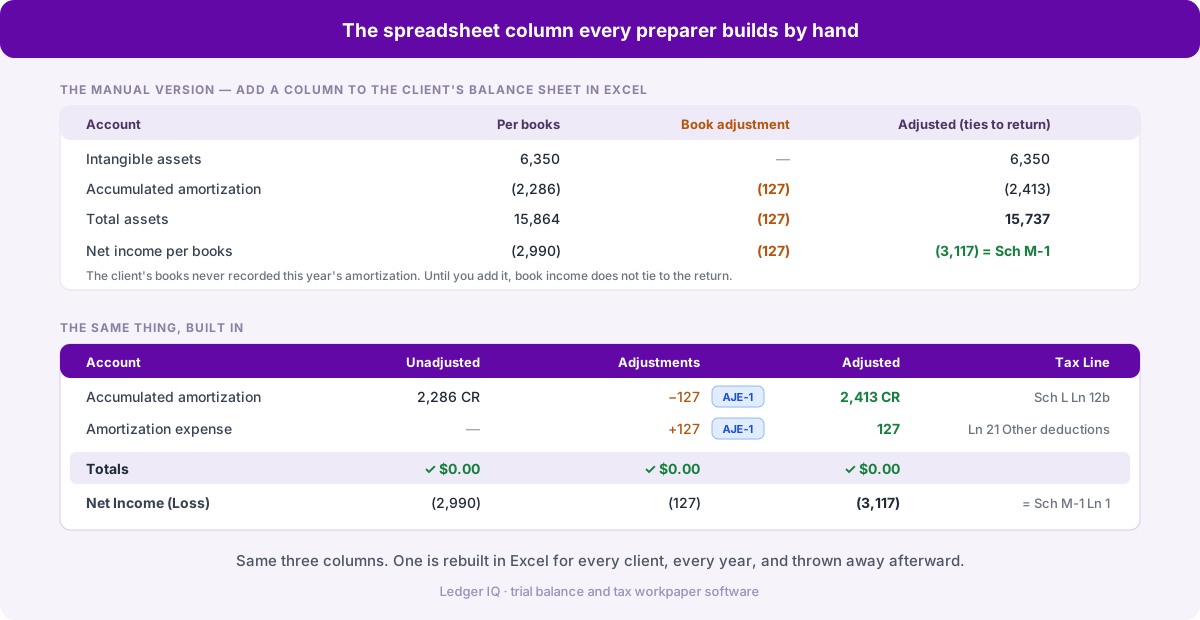
In the manual process, these adjustments typically happen in Excel spreadsheets separate from both the original trial balance and the tax software. The preparer creates a working trial balance by copying the client's trial balance into a new Excel file. Then they add columns for adjustments, create formulas to calculate adjusted balances, and manually enter those adjusted balances into the tax software.
This Excel-based approach creates several problems. First, the preparer is now working in three different places: the original trial balance, the Excel adjustment spreadsheet, and the tax software.
Excel spreadsheets for tax adjustments tend to become complex quickly. A single adjustment might affect multiple accounts. Depreciation adjustments might require separate calculations for regular tax and AMT. The spreadsheet grows to include multiple tabs: one for the working trial balance, one for depreciation calculations, one for M-1 reconciliation items, and one for Schedule K calculations. Finding specific adjustments later, during review, or in subsequent years requires navigating multiple tabs and deciphering formulas.
The documentation trail becomes fragmented. The original trial balance is in a single file. The Excel adjustment spreadsheet is another file. The tax return is a third file. The AJE report that goes into the workpapers has to be created manually, either by printing the Excel spreadsheet or by creating a separate summary document. If anyone needs to understand what was done and why, a reviewer, a partner, or next year’s preparer has to piece together the story from multiple disconnected sources.
Calculation errors in Excel formulas go undetected more easily than errors in dedicated accounting software. A cell reference that's off by one row, a formula that wasn't copied down completely, a manual entry that overrode a formula- these mistakes happen, and Excel won't flag them the way accounting software would flag an unbalanced journal entry.
Account-by-Account Data Entry
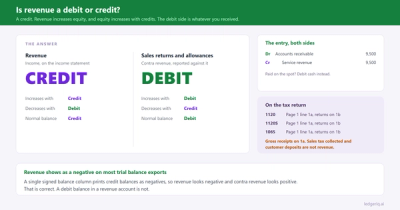
The preparer looks at the first account on the trial balance, determines where it belongs in the tax return, navigates to that location, and enters the balance. Cash goes to the balance sheet. Accounts receivable are reported on the balance sheet. The first income account goes to gross receipts. Sales returns go as a negative to gross receipts or as a separate deduction. Each account requires a decision about placement and a manual entry.
For a small business with 50 accounts, this might take 20 to 30 minutes. For a business with 200 accounts, it can take an hour or more. The process is repetitive but requires constant attention because every account needs to be evaluated and placed correctly. A moment of distraction and the utilities expense ends up in repairs instead, or rental income gets missed entirely.
The Challenge of Consistency Across Years
Most clients provide trial balances with the same account structure year after year, but the preparer still has to enter everything manually each time. There's no memory from last year. If account 6150 is "Equipment Rental" and goes to "Rent of business property" on the tax return, the preparer has to make that same determination and entry this year. And next year. And every year the client relationship continues.
This lack of consistency also creates problems when different staff members prepare the same client's returns over multiple years. One preparer might categorize an expense one way; another preparer might place it differently. Without a system to enforce consistent mapping, the same account can be treated differently from year to year, creating apparent fluctuations in the financials that don't reflect actual business changes.
The Risk of Transcription Errors
Manual data entry introduces transcription errors that are difficult to catch. A $45,000 balance becomes $54,000. A credit balance gets entered as a debit. An entire account gets skipped because the preparer's eye jumped from line 47 to line 49 on the trial balance. These errors don't always create obvious problems. Sometimes the return still balances, but the income is overstated or understated. Sometimes an expense appears in the wrong category.
Experienced preparers develop checking routines to catch these errors. They compare total income on the trial balance to total income in the return. They verify that the balance sheet balances. They spot-check large accounts. But these checks take time, and they don't catch every error. Small discrepancies can slip through, especially under the time pressure of tax season.
How Trial Balance Import Software Works
Trial balance import software replaces the manual data entry process with an automated mapping and adjustment system. The workflow shifts from entering individual account balances to managing the relationship between the trial balance and the tax return as a unified process.
Importing Trial Balances From Multiple Sources
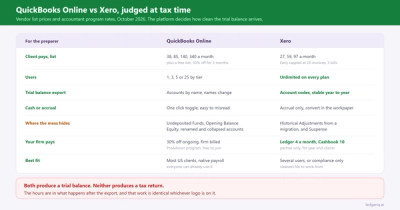
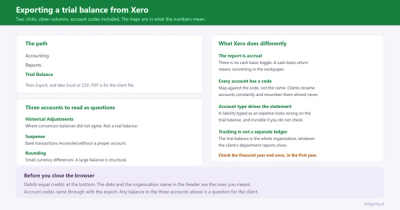
The process begins with importing the trial balance into the software. Most trial balance import tools accept data from common bookkeeping platforms such as QuickBooks, Xero, and Sage, as well as from Excel spreadsheets and CSV files. The software reads the account structure, recognizes the debits and credits, and displays the trial balance in a standardized format.
This import step handles the technical work of parsing different file formats and structures. A QuickBooks trial balance export looks different from an Xero export, which looks different from a custom Excel template. The import software normalizes these differences, so the preparer always works with a consistent interface regardless of the source.
Mapping Accounts to Tax Form Fields
Once the trial balance is imported, the preparer maps each account to its corresponding location in the tax return. “Sales Revenue” maps to gross receipts. “Advertising” maps to advertising expense. “Charitable Contributions” maps to the Schedule K field for charitable contributions on a partnership or S corporation return.
This mapping process happens once per client. After the initial setup, the software remembers the mappings for future years. When next year's trial balance is imported, accounts automatically map to the same locations they mapped to previously. The preparer only needs to review the mappings and adjust if the client has added new accounts or changed their chart of accounts.
The quality of the mapping system determines how well the software actually saves time. Basic systems require the preparer to manually select tax form fields from dropdown lists for every account. More sophisticated systems learn from account names and automatically suggest appropriate mappings. The best systems allow customization, enabling firms to create their own mapping rules based on their preferences and interpretations of tax law.
Making Adjusting Journal Entries in a Unified Interface
After mapping, the preparer can create adjusting journal entries directly within the trial balance import software, in the same interface used to import the trial balance and set up account mappings. This unified environment eliminates the need to jump between Excel spreadsheets, the original trial balance, and the tax software.
Adjustments work the same way they would in an accounting system: select the accounts to debit and credit, enter the amounts, and add a description of the adjustment. The software validates that the entry balances before allowing you to save it. If you try to create an adjustment with $5,000 in debits and $4,500 in credits, the software won't accept it, unlike Excel, which will happily let you create unbalanced calculations.

Common adjustments include reversing book depreciation, reclassifying expenses, removing non-deductible items, and converting from accrual to cash basis. Each adjustment is tracked separately with a clear audit trail showing what was changed and why. The software automatically calculates adjusted account balances and displays both the original and adjusted trial balances side by side.
This is fundamentally different from the Excel approach in several important ways. You're not maintaining separate files for adjustments. Everything simply happens in one system. You're not writing formulas or creating cell references that might break if someone inserts a row. You're not manually calculating adjusted balances; the software does that automatically. And you're not creating documentation after the fact; it’s generated automatically as you work.
The adjustment process is more transparent than making changes in Excel or directly in the tax software. Every adjustment is documented in a single place and linked to the trial balance it modifies. When you need to review the adjustments, either for your own verification or for someone else’s review, you can pull up the complete list, with descriptions, amounts, and affected accounts clearly displayed.
Complex, multi-line adjustments are actually easier to manage in this environment. When you need to reverse book depreciation for ten different asset classes and add back tax depreciation calculated differently for each class, you can create a single multi-line adjustment that handles everything. The software tracks it as a single logical adjustment, even though it affects 20 different accounts. In Excel, this same adjustment might span multiple rows or require multiple linked calculations across different parts of the spreadsheet.
Generating the Export File
When mapping and adjustments are complete, the preparer exports a file that the tax software can import. This export contains all the mapped account balances, including the effects of any adjusting journal entries. The file is structured to match the tax software's import format, with each mapped account going to its designated field.
The tax software reads the import file and automatically populates the return. Income accounts fill in the income section. Deduction accounts populate their respective expense lines. Balance sheet accounts go to the balance sheet. Schedule K items, such as charitable contributions and interest income, go to their respective Schedule K fields. The entire trial balance, adjusted and mapped, transfers into the tax return in seconds.
Understanding the Limitations
Trial balance import software excels at transferring account balances that have a one-to-one mapping to tax form fields. But some tax inputs require additional information not available in a trial balance, so they fall outside the scope of automated import.
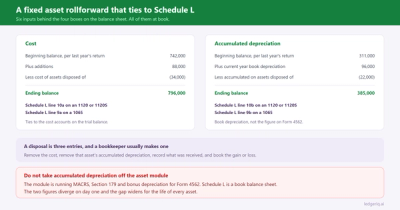
Fixed assets are the primary example. A trial balance might show total fixed assets at cost and accumulated depreciation, but it doesn't show the detailed asset list with acquisition dates, asset classes, and depreciation methods. Tax software needs those details to calculate depreciation correctly. The import software can import summarized fixed asset balances for the balance sheet, but the preparer still needs to maintain the detailed fixed asset schedule separately.
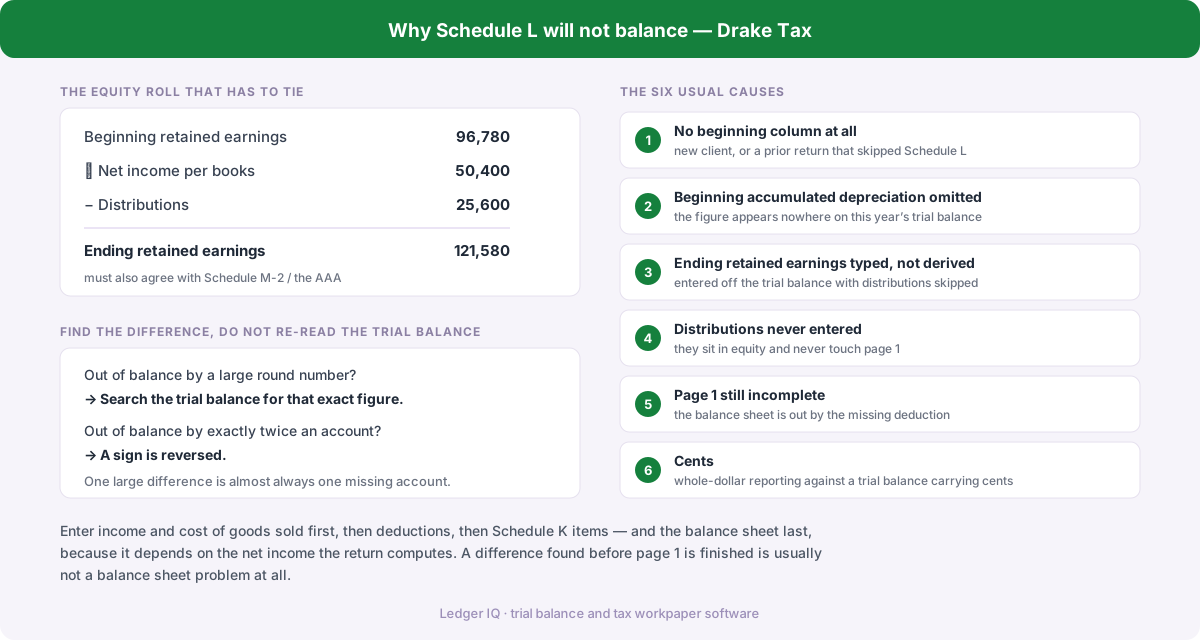
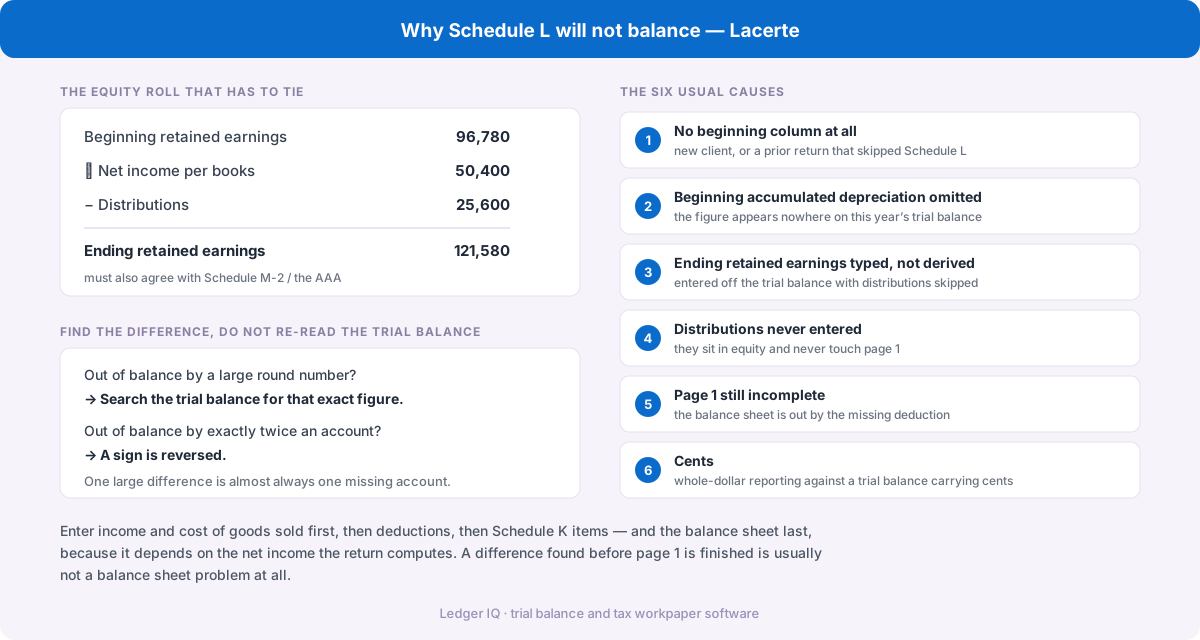
Equity accounts present similar challenges. The trial balance shows ending capital or retained earnings, but partnership and S corporation returns require detailed equity reconciliations that show the beginning balance, current-year income, distributions, and contributions for each partner or shareholder. This level of detail doesn't exist in the trial balance, so the import software can't populate it automatically.
These limitations don't diminish the value of the software; they simply define its scope. The goal is to automate what can be automated and let the preparer focus their time on the items that actually require professional judgment and additional information.
Documentation and Workpapers: Connected vs. Fragmented
Beyond populating the tax return, trial balance import software generates documentation that becomes part of the permanent workpapers. The adjusted trial balance shows the final balances after all adjusting entries, formatted professionally and ready to include in the client file. The adjusting journal entry report lists all adjustments, with descriptions and amounts clearly displayed.
These reports are generated automatically from the same data used to populate the tax return, which means they're guaranteed to be consistent. The adjusted trial balance shows exactly what was exported to the tax software. The AJE report shows exactly what adjustments were made to get from the original trial balance to the adjusted trial balance. There's no possibility of the workpaper documentation showing one thing while the tax return reflects something different, a common problem with Excel-based manual processes.
In the manual Excel approach, documentation requires extra work. The preparer has to create workpaper documentation separately from the work itself. This might mean printing the Excel spreadsheet and including it in the file, or creating a separate summary document that lists all adjustments. Either way, there's a disconnect between the working files and the final documentation. The Excel file might get updated after the workpapers are printed. The summary document might not reflect all the adjustments actually made.
The trial balance import software eliminates this documentation gap. Reports are generated on demand from the current data state, so they’re always up to date and accurate. When a reviewer opens the client file, they can see the AJE report and adjusted trial balance, knowing that these documents reflect exactly what was done, not what the preparer intended or thought they had done.
This integrated documentation serves multiple purposes beyond the immediate tax season. It documents the work performed during tax preparation for quality control and liability protection. It provides a clear trail from the client's books to the filed tax return for IRS audit defense. It helps with review by making adjustments visible and easy to verify. And critically, it creates a reference point for next year, when the preparer might need to remember why a particular adjustment was made or how a specific account was classified.
When next year's preparer opens the file, whether it's the same person or someone new, they can see the complete picture without having to hunt through multiple Excel files, decipher formulas, or guess at the logic behind certain decisions. The documentation is complete, organized, and directly tied to the work performed.
Comparing Manual Entry to Automated Import
The difference between manual data entry and automated import becomes clear when you examine the same tax return prepared both ways.
Time Investment Per Return
For a typical small business return with 100 to 150 accounts, manual data entry takes 45 to 75 minutes. The preparer works through the trial balance account by account, entering balances and making placement decisions. But this is just the data entry time. Before that, there are typically 20 to 40 minutes of work in Excel: copying the trial balance into a working spreadsheet, setting up adjustment columns, creating formulas to calculate adjusted balances, and making all necessary adjusting entries. After data entry, there's another 10 to 15 minutes of reconciliation: verifying that the totals in the tax software match the adjusted totals in Excel, checking for transcription errors, and confirming that all adjustments were properly reflected.
Total time for the complete manual workflow, Excel preparation, data entry, adjustments, and reconciliation: 75 to 130 minutes per return.
With automated import, the same return requires 20 to 30 minutes from start to finish. Importing the trial balance takes one to two minutes. Reviewing and confirming account mappings (after the initial setup) takes five to ten minutes. Making adjusting entries directly in the software takes 10 to 15 minutes, about the same time as creating them in Excel, but without the additional time needed for setup and formula creation. The software automatically calculates adjusted balances, so there's no separate reconciliation step. Exporting to tax software takes less than a minute, and the import into tax software is verified automatically by the structure of the export file.
Total time: 20 to 30 minutes for the entire process from trial balance to populated return, including all adjustments.
The time savings compound across a full season. A firm preparing 100 business returns saves roughly 75 to 100 hours by eliminating manual Excel work and data entry, equivalent to about two full workweeks. Larger firms with higher volumes see proportionally larger savings. More importantly, this is high-quality time saved, not just faster work, but the elimination of repetitive, error-prone tasks that add no value beyond moving data from one place to another.
Accuracy and Error Reduction
Manual data entry introduces transcription errors at a predictable rate. Even experienced preparers occasionally transpose numbers, skip accounts, or enter values in the wrong fields. These errors require time to find and fix, and some errors go undetected until review or even after filing.
Automated import eliminates transcription errors entirely. The software reads the trial balance data directly and passes it through unchanged. If the trial balance shows $45,127 for an account, the tax return will show $45,127 for that account after import. The only errors that can occur are mapping errors and placing an account in the wrong tax form field. These errors become apparent during the initial mapping setup and are corrected once, rather than repeated every year. When Trial Balance Import Software Makes Sense
Not every firm needs dedicated import software. Solo practitioners with a handful of business clients who all use the same accounting system might not encounter enough import problems to justify automation.
But for firms that meet one or more of these criteria, importing software removes a persistent source of workflow friction:
Consistency Across Years and Staff
Manual entry produces inconsistent results when different preparers work on the same client over multiple years. Account classification becomes a matter of individual judgment and memory. One preparer treats an expense one way; another preparer treats it differently the next year.
Automated import enforces consistency by preserving account mappings from year to year. Once an account is mapped to a specific tax form field, it maps to that same field in subsequent years unless the preparer deliberately changes it. This consistency extends across staff members. Junior and senior preparers work with the same mappings, producing identical classification decisions.
The Working Environment: Excel Chaos vs. Unified System
The contrast between manual and automated processes becomes most apparent when you look at where the work actually happens. In the manual process, the preparer works in three disconnected environments: the client's original trial balance file (often PDF or read-only), an Excel spreadsheet for adjustments and working trial balance, and the tax software for final data entry.
Each environment serves a purpose, but they don't communicate with each other. Make an adjustment in Excel, and you have to remember to reflect it when entering data into the tax software. Realize you need to modify an adjustment while working in the tax software, and you have to go back to Excel, modify the spreadsheet, recalculate the adjusted balance, and then update the tax software entry. Discovery of an error requires backtracking across multiple files to determine its origin.
The Excel spreadsheet serves as the central hub for adjustments, but It wasn't designed for accounting. It won't stop you from creating an unbalanced entry. It won't flag when you've accidentally overwritten a formula with a hard-coded number. It won't track who made what change when multiple staff members work on the same file. It will let you create incredibly complex, fragile calculation chains that work perfectly until someone inserts a row in the wrong place.
With trial balance import software, all work happens in a single unified interface. You import the trial balance, map the accounts, make adjusting entries, review the adjusted trial balance, and export to tax software, all without leaving the application. The original trial balance, the adjustments, and the final adjusted balances all exist in the same system, connected and synchronized automatically.
This unified environment means you can see the impact of adjustments immediately. Create an adjustment to reclassify an expense, and you can instantly see how it affects the adjusted trial balance and which tax form field will receive the adjusted amount. If you realize you need to modify an adjustment and edit it in place, the adjusted balances recalculate automatically, and the change flows through to the export file when you regenerate it.
The software maintains internal consistency that Excel spreadsheets can't match. Every adjustment is guaranteed to balance. Every adjusted account balance is calculated correctly from the original balance plus or minus all applicable adjustments. The total of all adjusted balances equals the total of all original balances plus the net effect of all adjustments, and the software verifies this automatically rather than trusting your Excel formulas.
Handling Complex Adjustments
Complex adjusting entries are actually easier to manage in trial balance import software than in Excel spreadsheets. When making multiple related adjustments, such as reversing book depreciation, adding tax depreciation, and reclassifying certain expenses, the software tracks them together and automatically calculates the net effect.
In Excel-based manual processes, these adjustments might be documented in separate rows of a spreadsheet, or worse, across multiple tabs. The preparer must manually calculate the adjusted balances, verify that everything balances, and ensure that all adjustments are reflected correctly when entering data into the tax software. Each step introduces an opportunity for error, and errors in complex multi-line adjustments are notoriously difficult to trace.
When Trial Balance Import Software Makes Sense
Not every firm benefits equally from trial balance import software. The value depends on the firm's client mix, volume, and current workflow efficiency.
Firms Preparing Business Returns at Scale
The clearest case for adoption is firms preparing significant volumes of business returns, partnerships, S corporations, and C corporations. With 50 or more business returns annually, the time savings from automated import become substantial. At 100 or more returns, the software essentially pays for itself in recovered billable hours during the first tax season.
Solo practitioners with fewer than 20 business clients might not see sufficient return on investment, especially if their clients have simple trial balances and consistent account structures. But even smaller firms planning to grow their client base benefit from implementing automation early, before manual processes become deeply ingrained.
Firms Using Junior Staff for Data Entry
Many firms assign initial data entry to junior staff or interns as a training exercise and to free up senior preparers for more complex work. This makes economic sense, but it introduces variability in quality. Junior staff make more transcription errors, take longer to complete data entry, and sometimes make questionable mapping decisions.
Automated import reduces this variability. Junior staff can handle the import and mapping process with less supervision because the software guides them through the workflow and prevents common errors. Senior staff spend less time reviewing and correcting data-entry errors, allowing them to focus on tax planning and more complex technical issues.
Firms Seeking to Standardize Processes
Firms that value process standardization and quality control find particular benefit in trial balance import software. The software establishes a consistent workflow for all staff members. Account mappings are documented and preserved. Adjusting entries are tracked systematically. The path from trial balance to tax return becomes repeatable and auditable.
This standardization becomes especially valuable during review. When a reviewing partner reviews a return prepared using an automated import, they can pull up the adjusted trial balance, review the mapping decisions, and see exactly which adjustments were made. The review process becomes faster and more thorough because the documentation is complete and organized.
What to Look for in Import Software
The market for trial balance import software includes several options with varying capabilities. Evaluating these tools requires looking beyond marketing claims to understand what they actually do and how well they do it.
Broad Compatibility With Source Systems
The software should accept trial balances from all the bookkeeping platforms your clients use. QuickBooks Desktop and QuickBooks Online are standard, but you'll also want support for Xero, Sage, FreshBooks, and other systems your clients might adopt. Excel and CSV import are essential because some clients use custom accounting systems or send trial balances in spreadsheet format.
Compatibility isn't just about accepting files; it's about correctly parsing the data structure. A trial balance import tool that accepts QuickBooks files but misreads the account hierarchy or fails to distinguish between debits and credits isn't actually compatible in any meaningful sense.
Intelligent Account Mapping
The quality of the account mapping system determines how much time the software actually saves. Basic systems require manual selection of tax form fields for every account through dropdown menus or search boxes. This is better than manual data entry, but it's still tedious.
More advanced systems automatically analyze account names and suggest appropriate mappings. If the account is named "Advertising Expense," the software suggests the advertising field on the tax return. If the account is "Charitable Contributions," it suggests Schedule K charitable contributions for partnership and S corporation returns.
The best systems allow customization of mapping rules, enabling firms to encode their own preferences and interpretations of tax regulations. If your firm consistently treats a certain type of expense in a specific way, you should be able to create a rule that automatically applies that treatment whenever similar accounts appear.
Comprehensive Adjustment Capabilities
Adjusting journal entries is a core part of tax preparation, so the software needs robust AJE functionality. You should be able to create multi-line adjustments, reverse existing adjustments, and clearly document the purpose of each adjustment.
The software should generate clean AJE reports showing all adjustments in a format suitable for workpapers. These reports need to be professional and complete, not just debug output from the software's internal calculations.
An adjusted trial balance report is equally important. This report presents the original trial balance, lists all adjustments, and displays the final adjusted balances exported to the tax software. This becomes a key document in the permanent file.
Clean Export to Tax Software
The export file should integrate seamlessly with your tax preparation software. When you import the file, all mapped accounts should appear in their correct locations without requiring manual rearrangement or verification. Income, deductions, balance sheet items, and Schedule K items should all populate automatically.
Some tax software platforms have better import capabilities than others. The trial balance import software should be designed to work with your specific tax platform and use export formats that match your tax software’s expectations. Generic CSV exports that require manual post-export manipulation defeat the purpose of automation.
User Interface and Learning Curve
Even powerful software is useless if it's too complicated for staff to learn and use effectively. The interface should be intuitive enough that preparers can become productive quickly without extensive training. Common tasks such as importing a trial balance, making adjustments, and exporting to tax software should be straightforward and well-documented.
Look for software with clear error messages and validation. If the trial balance is incorrect or an adjustment doesn’t balance, the software should clearly explain the problem rather than failing silently or displaying cryptic error codes.
The Business Case for Import Automation
The financial justification for trial balance import software is straightforward. Calculate the time your firm currently spends on manual data entry for business returns, multiply by your billing rate or internal cost rate, and compare that to the software cost.
For a firm preparing 100 business returns and spending an average of 60 minutes on data entry per return, that's 100 hours of labor annually. At $150 per hour (a conservative estimate), that's $15,000 in labor cost. If automated import reduces data entry time to 20 minutes per return, that's 67 hours saved, worth roughly $10,000.
Most trial balance import software costs under $10,000 annually, meaning the tool pays for itself through direct labor savings alone. The return on investment improves further when you account for reduced errors, improved consistency, better documentation, and the ability to take on additional business clients without proportionally increasing staff.
Ledger IQ: Purpose-Built for Tax Preparation
Trial balance import software designed specifically for tax preparation offers capabilities that generic accounting tools or spreadsheet macros can't match. Ledger IQ exemplifies this purpose-built approach.
Core Functionality Aligned With Tax Workflow
Ledger IQ imports trial balances from QuickBooks, Xero, Sage, and Excel, then provides a complete environment for mapping accounts to tax form fields and making adjusting journal entries. The account mapping system understands the structure of business tax returns, Forms 1065, 1120S, and 1120, including the specific fields on Schedule K where items such as charitable contributions and interest income are reported.
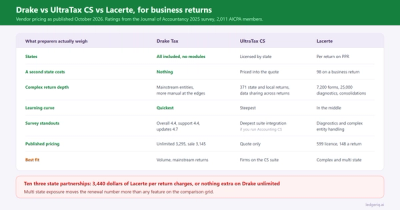
When you're finished mapping and adjusting, Ledger IQ generates the exact file your tax software imports (a trial balance import CSV for Lacerte or UltraTax CS, or Drake's own import workbook with every amount filled into the correct cells), with all mapped fields automatically placed in their correct locations. Income goes to income. Deductions go to their designated expense lines. Balance sheet items populate the balance sheet. Schedule K items go to Schedule K.
The software doesn't attempt to handle fixed assets or detailed equity reconciliations because those require information beyond what exists in a trial balance. This limitation is by design, the software focuses on what it can do accurately and completely, rather than attempting to automate everything and doing some of it poorly.
Documentation Integrated With Preparation
Ledger IQ generates the documentation tax preparers need for workpapers: a Working Trial Balance that shows unadjusted balances, every adjustment with its entry reference, adjusted and tax-basis columns, and a net income tie-out proof; a journal entry register; and a Return Tie-Out report that compares each mapped line against the filed return. All of them download as Excel or PDF, professionally formatted and ready for the permanent file.
This integrated documentation saves time during preparation and review. Instead of maintaining separate Excel spreadsheets to track adjustments or trying to reverse-engineer adjustments from the final tax return, everything is documented in one place with a clear audit trail from the original trial balance to the filed return.
Related Resources
For specific guidance on trial balance importing and normalization:
How to Import a Trial Balance into Tax Software
Common Trial Balance Import Errors (And How to Fix Them)
Best Trial Balance File Format for Tax Software
How to Normalize Client Trial Balances Before Tax Prep
Streamline Your Trial Balance Imports
If trial balance imports are causing delays and rework during tax season, Ledger IQ handles the complexity for you. Built specifically for CPA firms, Ledger IQ accepts trial balances from any accounting system, normalizes the data automatically, and validates everything before export to your tax software. This eliminates import failures and reduces manual data preparation per client.
Related Articles

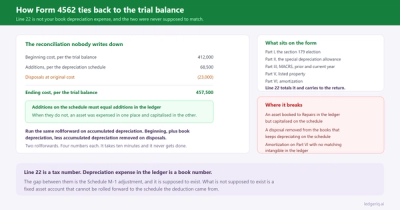
Book vs Tax Depreciation: Where the M-1 Adjustment Goes
Partner Basis vs Capital Account on Form 1065
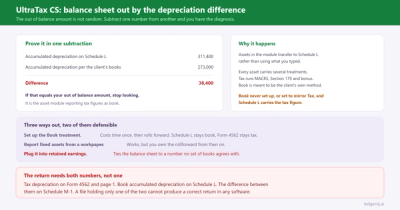
Schedule L Is Out of Balance: How to Find the Difference
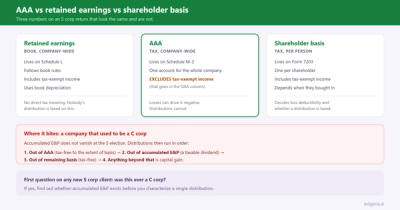
AAA vs Retained Earnings on an S Corp Schedule M-2
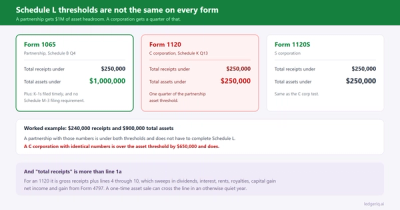
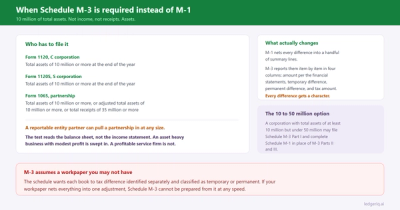
Does an 1120 Need Schedule L, M-1 and M-2?
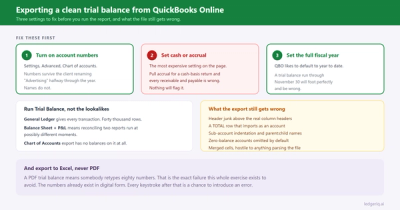
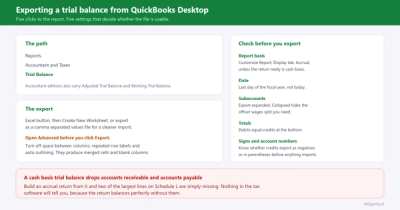
How to Export a Clean Trial Balance from QuickBooks Online
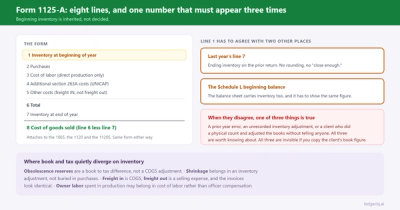
Form 1125-A: Cost of Goods Sold, Line by Line
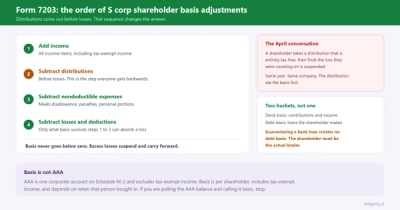
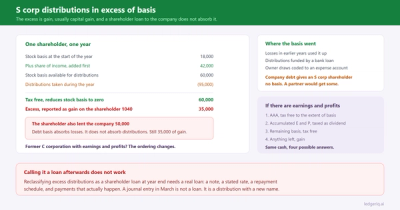
Form 7203: How to Calculate S Corp Shareholder Basis
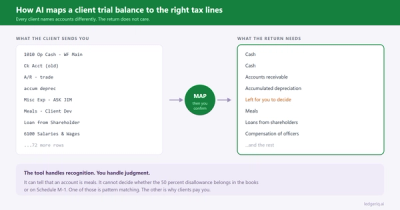
How AI maps a client trial balance to the right tax lines
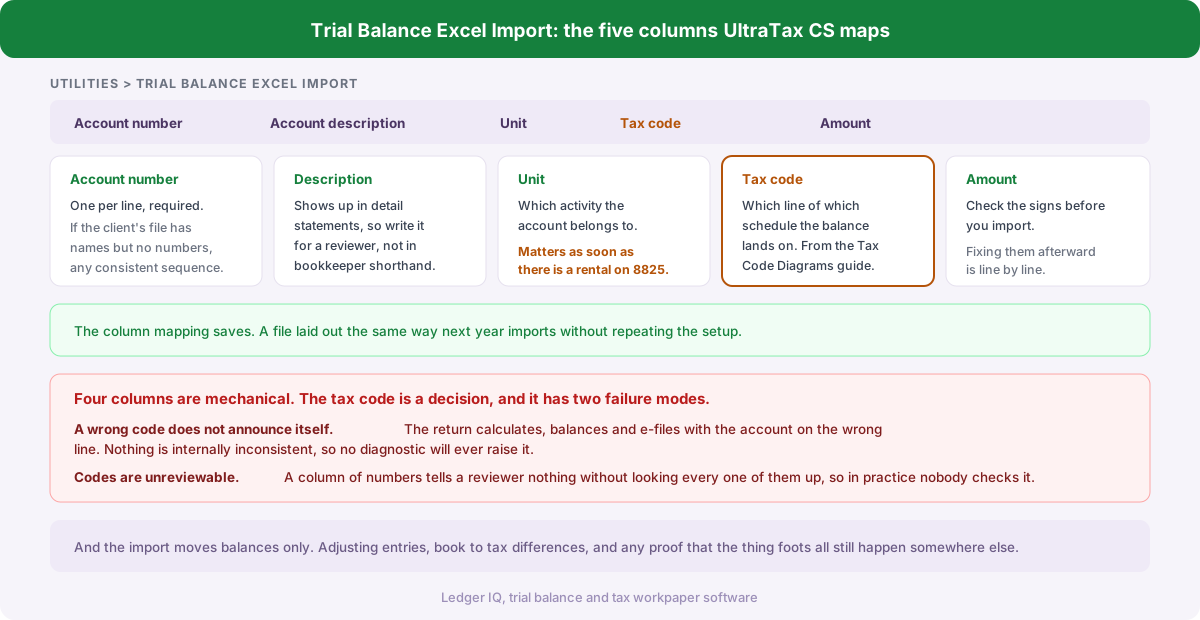
How to Import a Trial Balance into UltraTax CS with Tax Codes
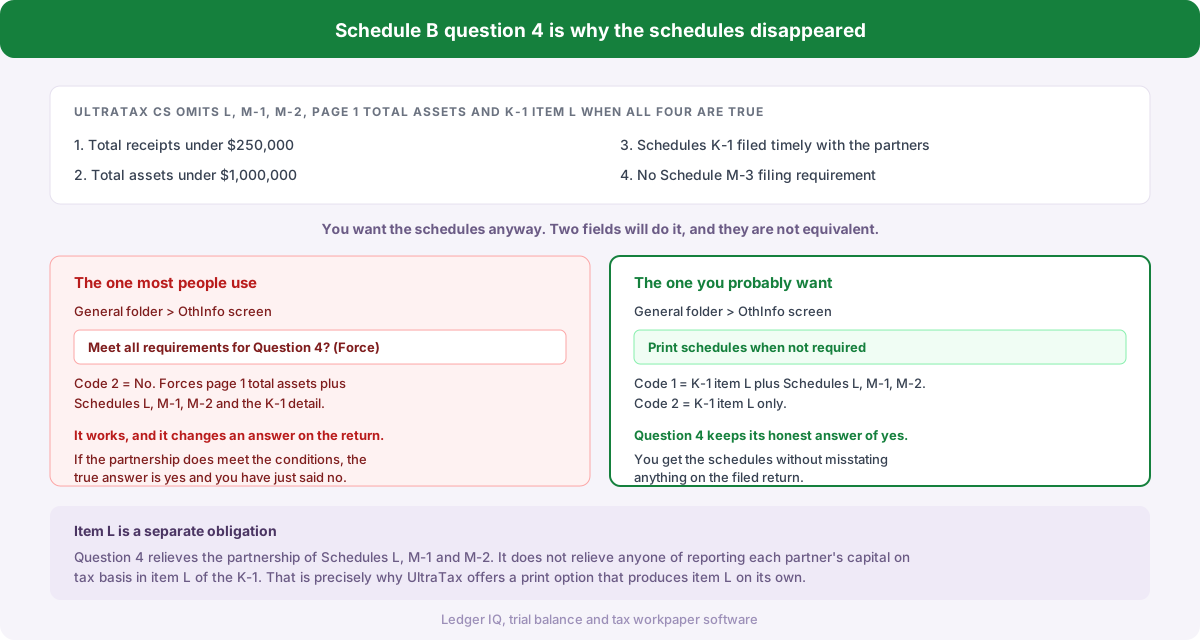
Why Schedules L, M-1 and M-2 Will Not Print in UltraTax CS (1065)
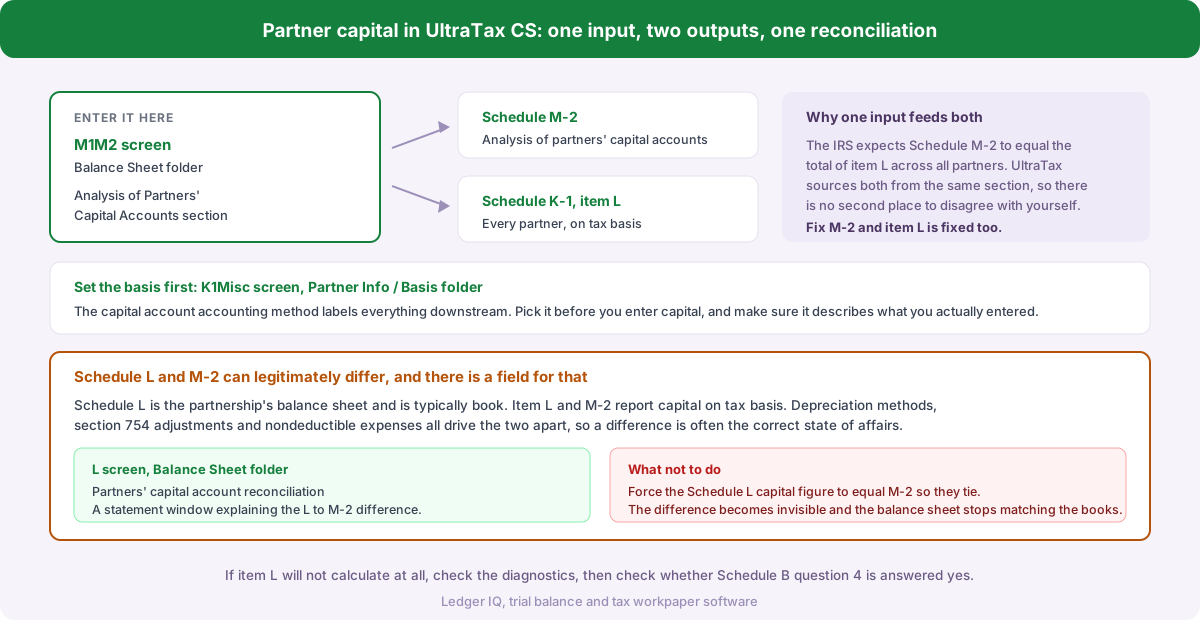
Where to Enter Partner Capital Accounts in UltraTax CS (1065)
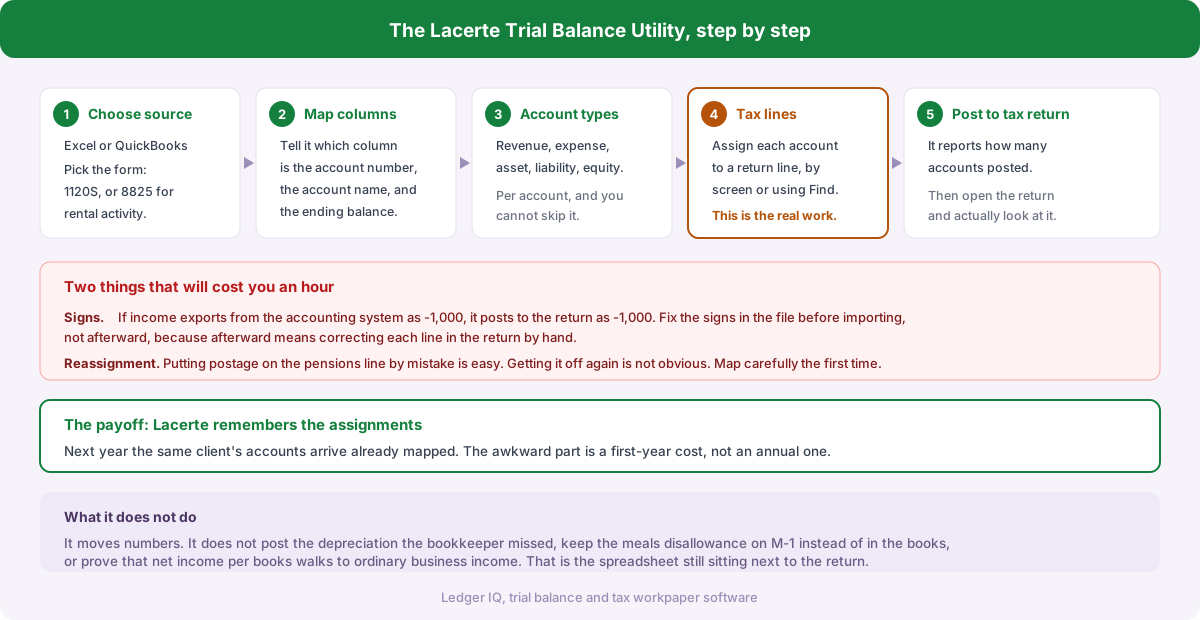
How to Use the Trial Balance Utility in Lacerte
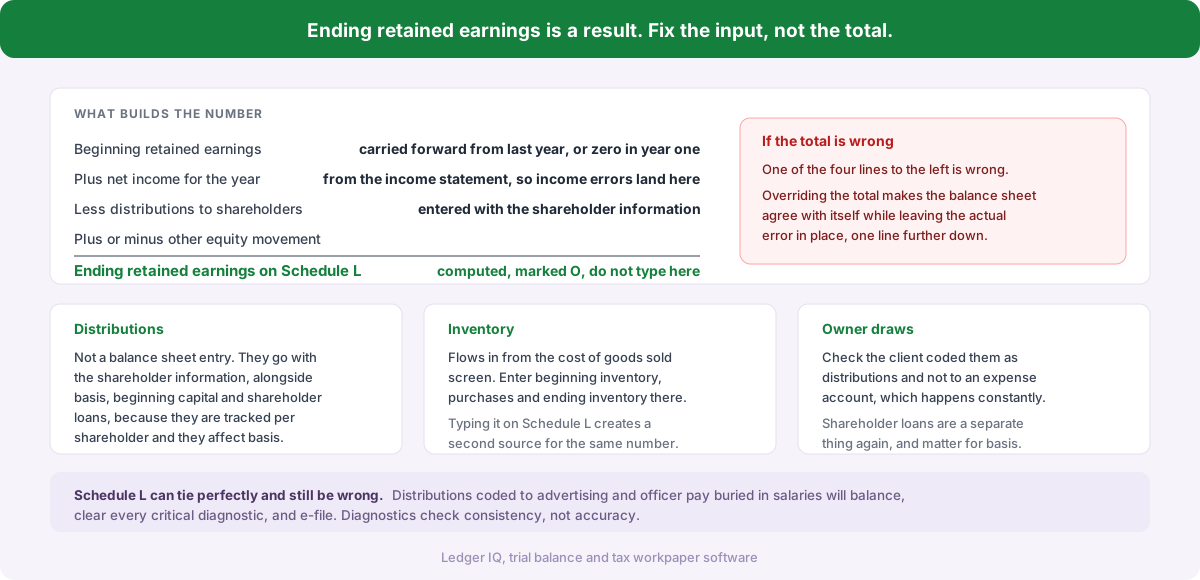
Why Lacerte Will Not Let You Type Retained Earnings on Schedule L
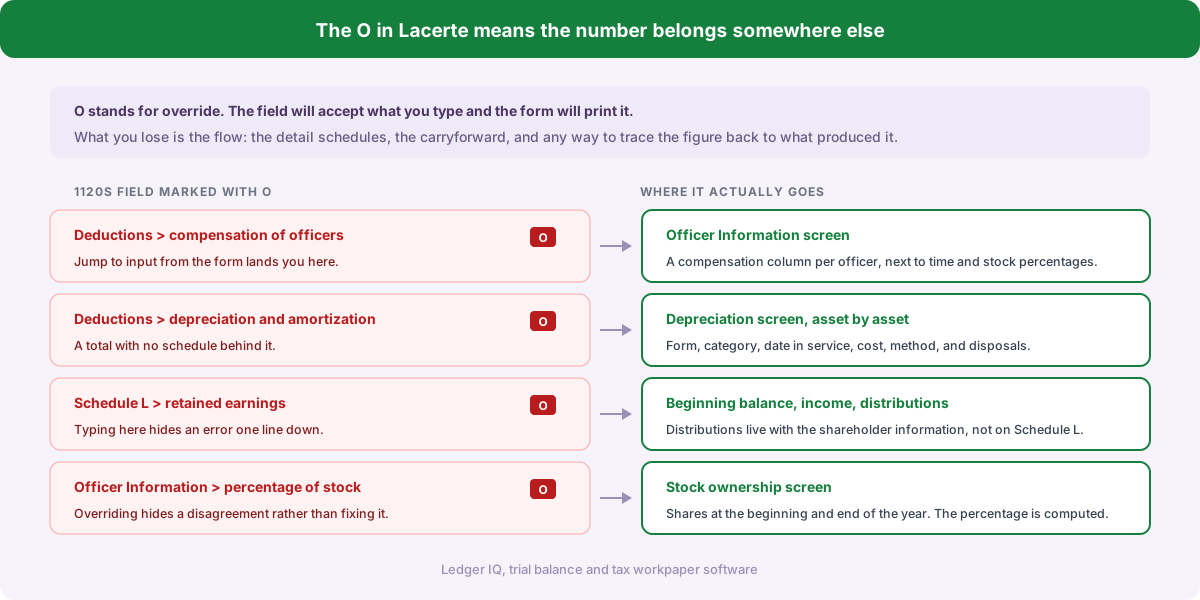
Where to Enter Officer Compensation on an 1120S in Lacerte
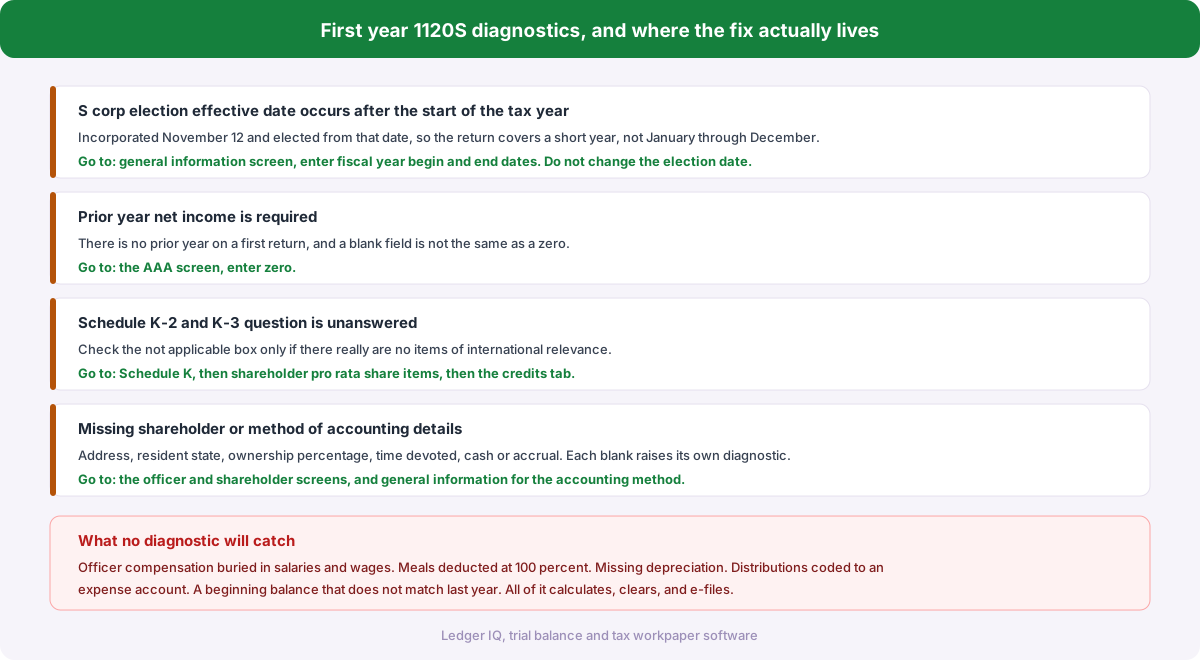
First Year 1120S Diagnostics in Drake Tax and How to Clear Them
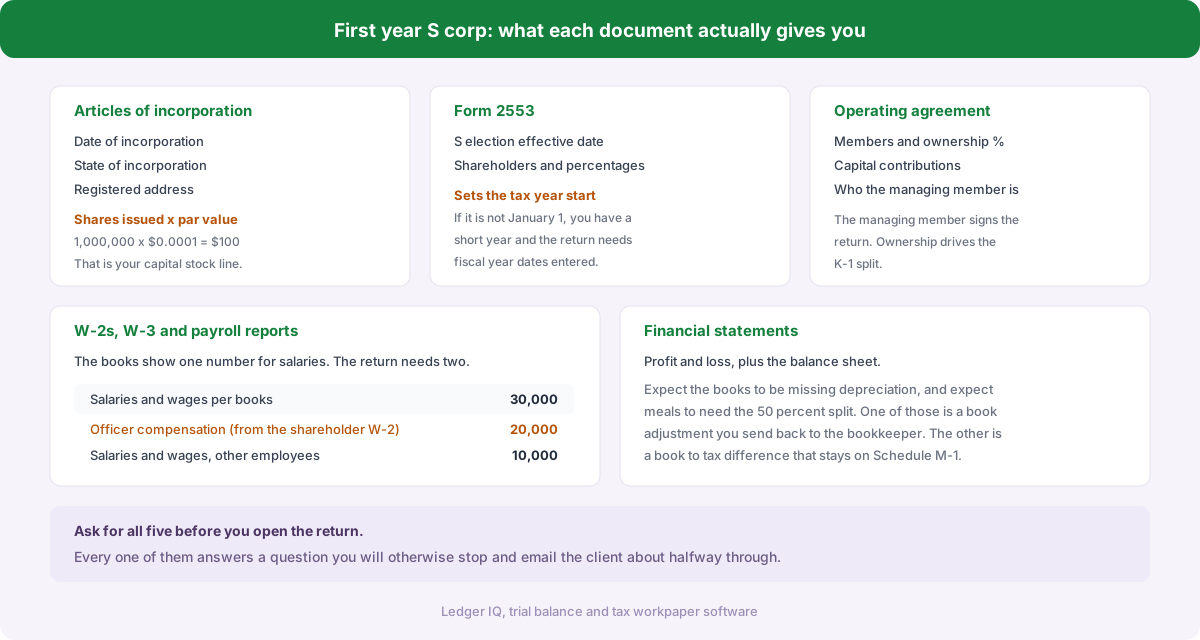
First Year S Corp Return: What to Ask the Client For
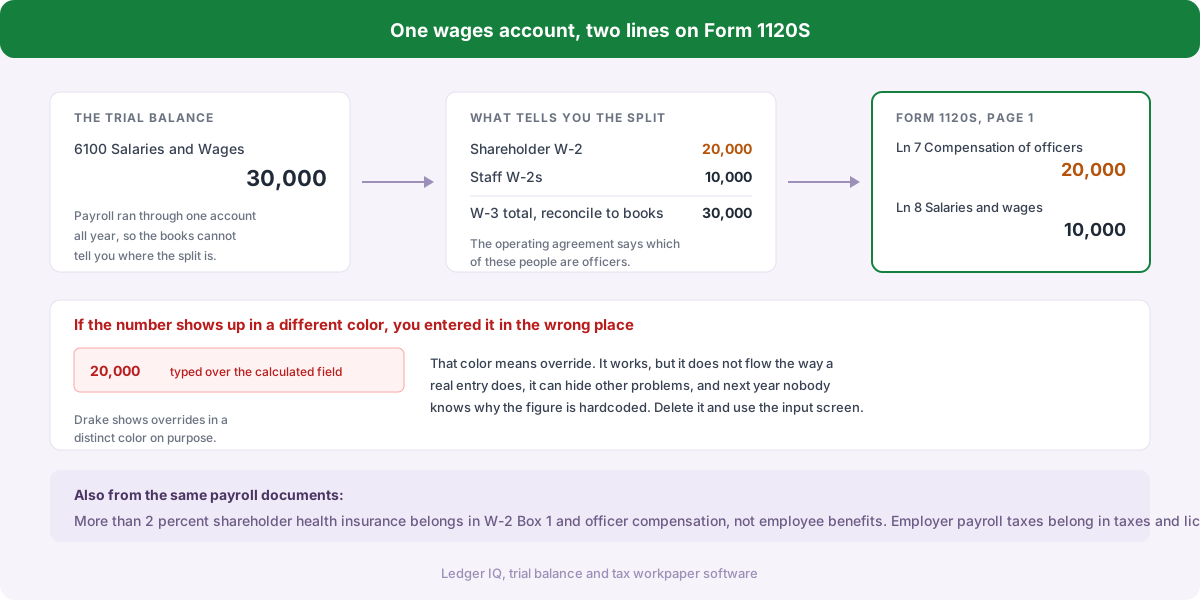
Where Does Officer Compensation Go on an 1120S in Drake Tax?
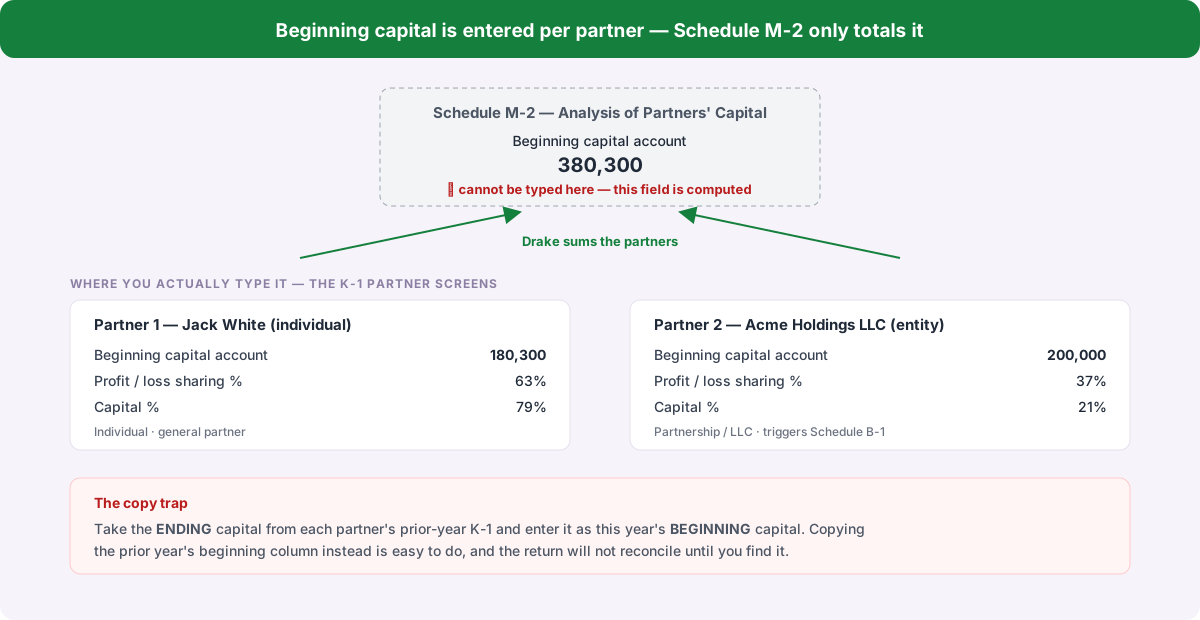
Why Drake Won't Let You Enter Beginning Capital on Schedule M-2
Do You Have to Complete Schedule L, M-1 and M-2 on Form 1065?
Tying the Client's Books to the Tax Return Without a Spreadsheet Column
Guaranteed Payments on Form 1065: Where They Go and Why It Matters
How to Create Schedule K-1s for a 1065 in Drake Tax
Partner Capital Accounts on Form 1065: Tax Basis, Schedule L and M-2
How to Enter a Trial Balance in Drake Tax
How to Enter a Trial Balance in Lacerte
How to Enter a Trial Balance in UltraTax CS
How to Normalize Client Trial Balances Before Tax Prep

Best Trial Balance File Format for Tax Software

How to Import a Trial Balance into Tax Software