Xero clients are the easy ones. The trial balance is two clicks, it exports clean, and the debit and credit columns are already separated for you.
The traps are not in the export. They are in the three things Xero does differently from QuickBooks, and each of them changes what the numbers mean rather than how they look.
Getting the report
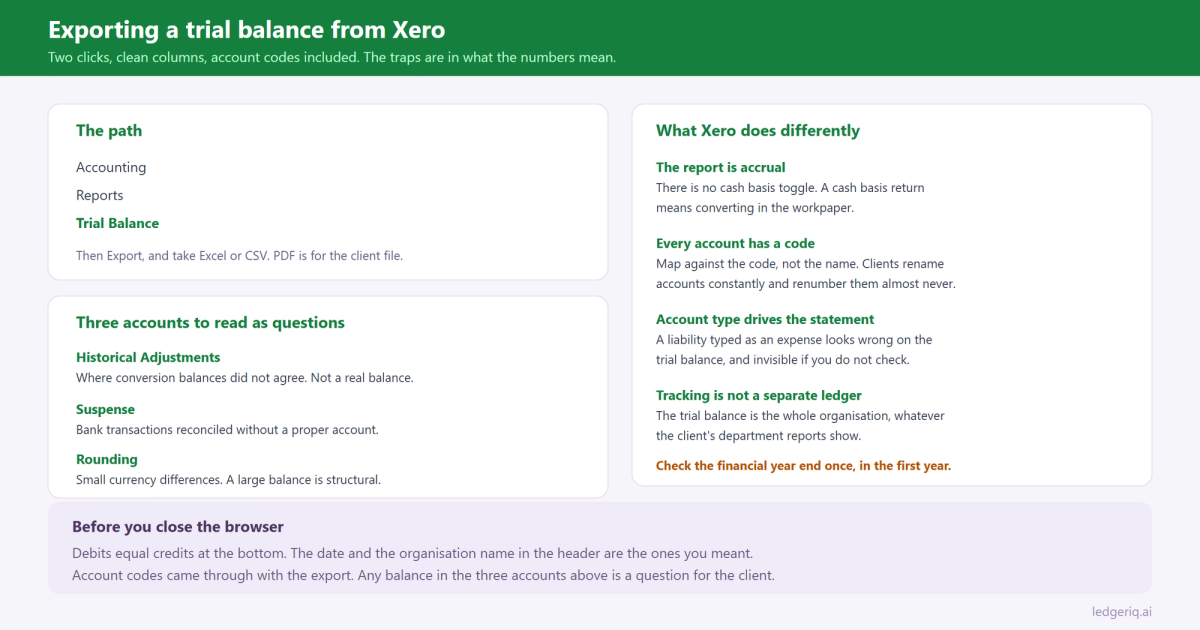
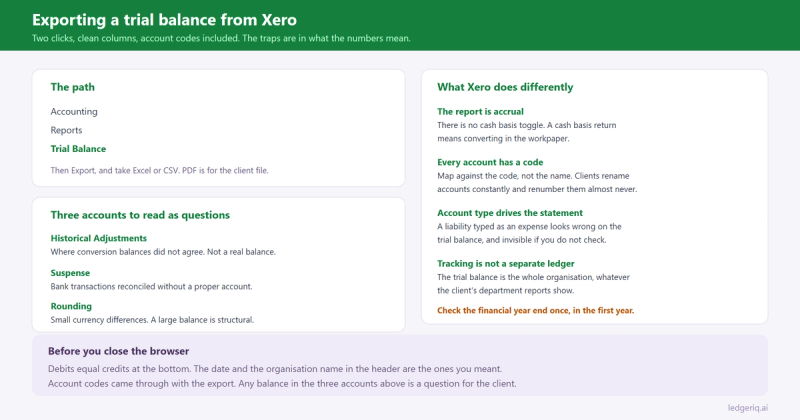
In Xero, open Accounting, then Reports, then Trial Balance.
Set the date to the last day of the client's financial year and run it. You get every account with its code, its name, and its year to date debit or credit balance.
Export with the Export button at the bottom of the report. You get Excel, CSV and PDF. Take Excel or CSV for anything that has to be worked on. PDF is for the client file.
That is the whole mechanical process. What follows is what to check before you use the file.
The date is a period end, not a snapshot in the way you expect
Xero's trial balance reports year to date movement for income and expense accounts, and the balance at the date for balance sheet accounts. That is what you want.
What catches people is the financial year end setting in the organisation. If the client's year end in Xero was set up incorrectly, the report ranges and the retained earnings rollover are computed against the wrong year, and the report you exported is internally consistent for a period that is not the tax year.
Check the year end in the organisation settings once per client, in the first year, and never think about it again.
Conversion balances are their own account
A client who migrated to Xero from another system has conversion balances: the opening figures entered at the changeover date.
Where those did not balance, Xero posts the difference to an account called Historical Adjustments. A balance sitting in Historical Adjustments is not a real account balance. It is the residue of a migration that was never finished, and it needs to be identified and cleared rather than mapped to a tax line.
It is the Xero equivalent of the Opening Balance Equity problem in QuickBooks, which we covered in when the client books do not balance. Same cause, different name.
Bank rules and the suspense accounts
Two accounts to look at before you map anything.
Suspense. Where a bank transaction was reconciled without a proper account, Xero can park it. A balance here is a list of questions for the client.
Rounding. Xero uses an account for small currency differences. A few dollars is noise. A large balance means something structural, usually multi currency revaluation that nobody has looked at.
And if the client uses tracking categories, remember the trial balance is the whole organisation. Tracking is a reporting dimension, not a separate ledger, so a trial balance total is correct even when the client insists their department reports show something different.
Account codes are the part worth caring about
Xero gives every account a code, and unlike a QuickBooks name, the code is stable. The code is what you should map against year over year, because clients rename accounts constantly and renumber them almost never.
Two more details that matter for a tax workpaper.
Xero's chart of accounts carries an account type on every account, and the type drives which financial statement the account appears on. If an account is typed incorrectly, a liability typed as an expense for instance, it will look wrong on the trial balance in a way that is obvious once you know to check and invisible if you do not.
And Xero's system accounts, accounts receivable, accounts payable, bank accounts and the tax accounts, cannot be posted to by journal in the normal way. A preparer who wants to adjust receivables at year end has to do it correctly through the relevant module or with a manual journal that Xero permits, which is a good discipline and an occasional annoyance.
The cash versus accrual question
Xero's trial balance is accrual. That is the default and the report does not have a cash basis toggle the way QuickBooks does.
If the client files on the cash method, you are converting from accrual books, which is a real piece of work and not a report setting. We walked through the mechanics in converting cash basis books to accrual, and the same adjustments run in reverse.
The short version: receivables and payables come out, and the movement in each is the adjustment. Do it in the workpaper where it is documented, not by running a different report and hoping.
Before you close the browser
Four checks, worth the thirty seconds.
Debits equal credits. Xero totals both columns at the bottom. They should agree exactly.
The date and the organisation name in the header. Firms with several Xero clients open in tabs have exported the wrong organisation more than once.
Historical Adjustments, Suspense and Rounding. Any balance in these is a question, not a mapping decision.
Account codes are in the export. If they are missing, you are matching on names next year instead of codes.
Where Ledger IQ fits
The export is the easy part. Turning 180 accounts into a return is what takes the afternoon.
Ledger IQ takes the Xero trial balance as Excel or CSV, with its debit and credit columns and its account codes, and reads them as they come. The Working Trial Balance shows the totals row immediately, so a file that does not foot is caught before any tax work starts.
Each account then maps to a named return line, Schedule L line 16 rather than a code you have to look up, with AI suggestions you review and approve. Mapping memory carries forward on the account, so next year is a review of what changed rather than a full remap, and a new account appears as something to decide on instead of quietly inheriting a neighbour's treatment.
The accounts that should never reach the return, Historical Adjustments and Suspense among them, cannot ride along unnoticed. Nothing exports until every account has been mapped and reviewed, so they become a list of questions for the client in January.
Adjusting, reclassifying and tax entries live on the workpaper as numbered entries with their own descriptions, and the import file for Lacerte, UltraTax CS or Drake Tax comes out the other end. If your client is on QuickBooks instead, we covered QuickBooks Online and QuickBooks Desktop separately.
Ledger IQ supports Forms 1065, 1120S and 1120, with exports for Drake, Lacerte and UltraTax CS. Your first return is free, so you can try it at portal.ledgeriq.ai on a live client without a credit card.