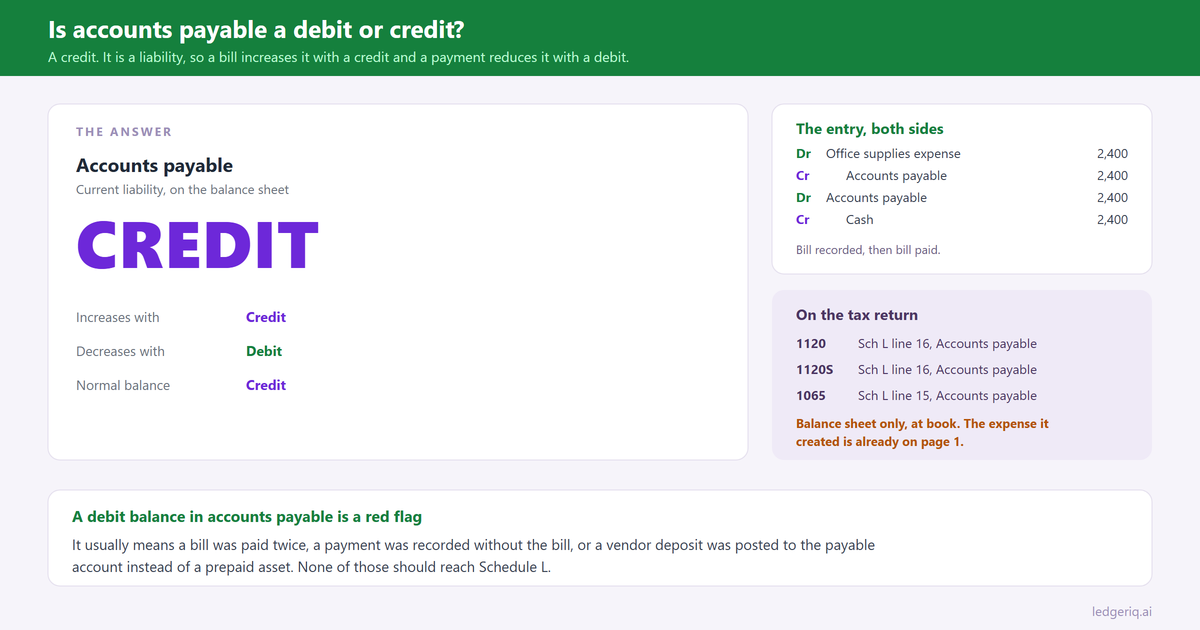
Accounts payable is a credit. It is a liability, so it increases with a credit, decreases with a debit, and carries a normal credit balance. You credit it when a bill arrives and debit it when the bill is paid.
That is the whole answer. The rest of this page is the part that matters once the entry has to survive a trial balance export and a tax return.
The short answer
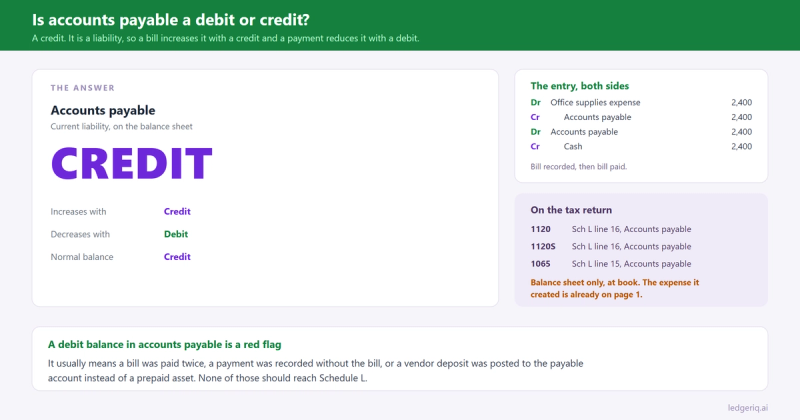
Increases with: a credit. Every bill you record credits accounts payable.
Decreases with: a debit. Every payment you make debits it.
Normal balance: credit. Accounts payable should sit as a credit balance, or as a negative number in a signed balance column, for the entire life of the business.
Why it works that way
Assets equal liabilities plus equity. Liabilities sit on the right side of that equation, and the right side increases with credits. Accounts payable is a liability, so it follows the same rule as notes payable, accrued expenses and sales tax payable.
The useful way to hold it in your head is to trace the money. When a vendor sends a bill, you have received something and not yet paid for it. Something arrived, so you debit an expense or an asset. Nothing left the bank yet, so the other side has to be a promise to pay, and that promise is a credit to accounts payable.
When you pay, the promise goes away. Debit accounts payable to remove the liability, credit cash because the money left. Cash is an asset, and assets decrease with credits.
The confusion most people have is with the word credit itself. A credit balance in accounts payable does not mean the vendor owes you money. It means you owe them. A vendor credit, the thing a supplier issues when they overcharge you, is the opposite, and it lands as a debit to accounts payable.
Journal entries, with numbers
Recording a bill for supplies of 2,400.
- Debit Office supplies expense 2,400
- Credit Accounts payable 2,400
Paying that bill.
- Debit Accounts payable 2,400
- Credit Cash 2,400
Recording a bill for inventory of 18,000 on a perpetual system. The debit is an asset, not an expense, because the cost sits in inventory until the goods are sold.
- Debit Inventory 18,000
- Credit Accounts payable 18,000
A vendor credit of 500 for goods returned. This is the entry that runs the account backwards.
- Debit Accounts payable 500
- Credit Inventory 500
Paying early and taking a 2 percent discount on a 10,000 bill. The liability comes off at the full amount, because that is what was recorded.
- Debit Accounts payable 10,000
- Credit Cash 9,800
- Credit Purchase discounts 200
The year end accrual for a bill that has not arrived yet. Work was done in December and the invoice shows up in January. On an accrual basis the expense belongs to December. Many firms use accrued expenses rather than accounts payable for this, which is the cleaner treatment, because accounts payable should tie to the vendor subledger.
- Debit Repairs expense 3,150
- Credit Accrued expenses 3,150
How it looks on a trial balance export
Two formats, one account, and the format decides what a correct balance looks like.
Separate debit and credit columns. Accounts payable appears in the credit column. A balance of 46,800 in the credit column is normal and correct.
A single signed balance column. Credit balances print as negatives, often in parentheses. Accounts payable shows as (46,800) or -46,800. That is also correct, and it is what most exports from QuickBooks and Xero look like.
What is not correct is accounts payable sitting in the debit column, or as a positive number in a signed column. A debit balance in accounts payable means one of four things: a payment was recorded twice, a bill was paid but never entered, a vendor deposit was posted to the payable account instead of a prepaid account, or a vendor credit exceeds the bills outstanding.
None of those should ride into the return. A debit balance in accounts payable belongs in current assets if it is genuinely a prepayment, and belongs corrected if it is not.
One more thing to check on the export: the accounts payable balance should agree to the accounts payable aging report. If the trial balance says 46,800 and the aging says 44,100, somebody posted a journal entry directly to the payable account without a vendor attached. That entry will never show on the aging, so the two reports will disagree forever until it is found.
Where it goes on the tax return
Accounts payable is a balance sheet account, so it lands on Schedule L, at book.
- Form 1120: Schedule L line 16, Accounts payable
- Form 1120S: Schedule L line 16, Accounts payable
- Form 1065: Schedule L line 15, Accounts payable
Beginning and ending columns both, from last year's return and this year's trial balance.
The expenses that created the payable are already sitting on page 1, or in cost of goods sold on Form 1125-A if the bill was for inventory or direct costs. The payable itself is not a deduction. It is what is left of the deduction you already took.
Two cases worth naming. On a cash basis return, accounts payable is usually zero on Schedule L, because the expense was never recorded until it was paid. Books kept on accrual and filed on cash need the accounts payable movement backed out, which is the conversion we walked through in cash basis to accrual.
And where the payable is owed to a related party, a cash basis payee and an accrual basis payer cannot take the deduction until it is paid. The accrual survives on Schedule L. The deduction waits.
Mistakes that throw it off
Paying a bill with a check rather than through the bill payment function. The check debits the expense a second time, and the original bill stays in accounts payable forever. Expenses are overstated and the payable balance climbs. This is the single most common accounts payable error in QuickBooks, and the aging report is where it shows.
Posting a journal entry straight to accounts payable with no vendor. It moves the trial balance and never appears on the aging, so the subledger stops agreeing with the general ledger.
Recording a vendor deposit as a debit to accounts payable. A deposit paid in advance is a prepaid asset. Leaving it in the payable account nets it against amounts you genuinely owe and understates the liability on Schedule L.
Confusing accounts payable with accrued expenses. Accounts payable is for invoices received. Accrued expenses are for costs incurred with no invoice yet. Mixing them makes the payable balance impossible to tie to the aging, and it is the reason the two have separate places on the return.
Letting old payables sit. A bill from four years ago that will never be paid is not a liability. Writing it off produces income, which is a real conversation with the client rather than a silent journal entry. But leaving it overstates liabilities and understates equity on Schedule L, and the difference is usually noticed in the year somebody finally reconciles.
Where Ledger IQ fits
The tax side of accounts payable is one decision: which Schedule L line the balance belongs on, and whether the number on the trial balance is the number that should go there.
In Ledger IQ, accounts payable maps to its named return line, Schedule L line 16 on an 1120 or 1120S and line 15 on a 1065, as a decision recorded on the workpaper rather than a code somebody chose in a hurry. Accrued expenses, sales tax payable and credit card payable map separately, so accounts that look alike in the chart of accounts cannot quietly merge into one number.
If the balance needs work, a debit balance that turns out to be a prepayment, an old payable that has to come off, the correction goes in as a numbered reclassifying or adjusting entry with its own description. It shows on the Working Trial Balance next to the unadjusted balance, so the person reviewing the return can see what changed and why.
And because the mapping carries forward, next February the accounts payable decision is a review rather than a rediscovery, and a new payable account appears in the mapping review as something to decide on instead of following last year by accident.
Ledger IQ supports Forms 1065, 1120S and 1120, with exports for Drake, Lacerte and UltraTax CS. Your first return is free, so you can try it at portal.ledgeriq.ai on a live client without a credit card.