Schedule L is out by 4,300 and you have twenty minutes before the client call.
Every preparer knows this feeling. The return is otherwise finished, the income statement looks right, and the balance sheet is off by an amount that means nothing to you. Total assets do not equal total liabilities and equity, and the software is either refusing to proceed or, worse, quietly offering to fix it for you.
The good news is that a Schedule L difference is almost never mysterious. There are about six causes, they account for nearly all of it, and you can find which one you have in a fixed order without hunting at random.
Do this first, before you look for the cause
Do not start guessing. Narrow the search space instead.
Write down the exact difference, with its sign. Not "about 4,000." The precise number, and whether assets are too high or too low. The number itself is the best clue you have.
Check whether the beginning column balances. Schedule L has two columns, beginning and ending. If beginning of year is out, this is not a current year problem at all. It is a rollforward problem, and you are looking for something that changed in last year's return or in the client's opening balances. If beginning ties and ending does not, the problem is in the current year.
Confirm the trial balance itself balanced before import. Total debits equal total credits, in the source file, before anything reached the tax software. If the trial balance was out, everything downstream is out and no amount of poking at Schedule L will help.
Those three checks take two minutes and they cut the possibilities by more than half.
Now match the difference to a cause
Work these in order. They are sorted by how often they turn out to be the answer.
1. The difference equals a depreciation number. The most common single cause. Schedule L is a book balance sheet, so accumulated depreciation on it has to tie to the general ledger, not to the accumulated total the tax asset module is carrying. Those two diverge every year that MACRS or Section 179 is in play. If your difference equals the gap between book and tax accumulated depreciation, that is your answer, and the fix is to put the book figure on Schedule L and handle the difference on M-1. We covered the mechanics of that in book vs tax depreciation.
2. Retained earnings was never rolled forward. Ending retained earnings has to equal beginning retained earnings plus net income minus distributions. If someone entered a retained earnings figure by hand, or the rollforward pulled last year's ending balance into the wrong field, the difference will equal net income, or distributions, or the sum of the two. Check that relationship before anything else on the equity side.
3. Distributions went somewhere other than equity. On a partnership this shows up in the capital accounts, and the reporting rules behind them are in partner capital accounts on Form 1065. Owner draws coded to an expense account are extremely common in small business books. The P&L absorbs them, net income is understated, and equity never gets reduced. The tell is a difference that exactly equals a suspiciously round recurring amount, like 2,000 a month for twelve months.
4. An account did not get mapped. One account in the trial balance never received a tax line, so its balance simply did not travel to the return. The difference equals that account's balance. This is why an unmapped account list matters more than it sounds.
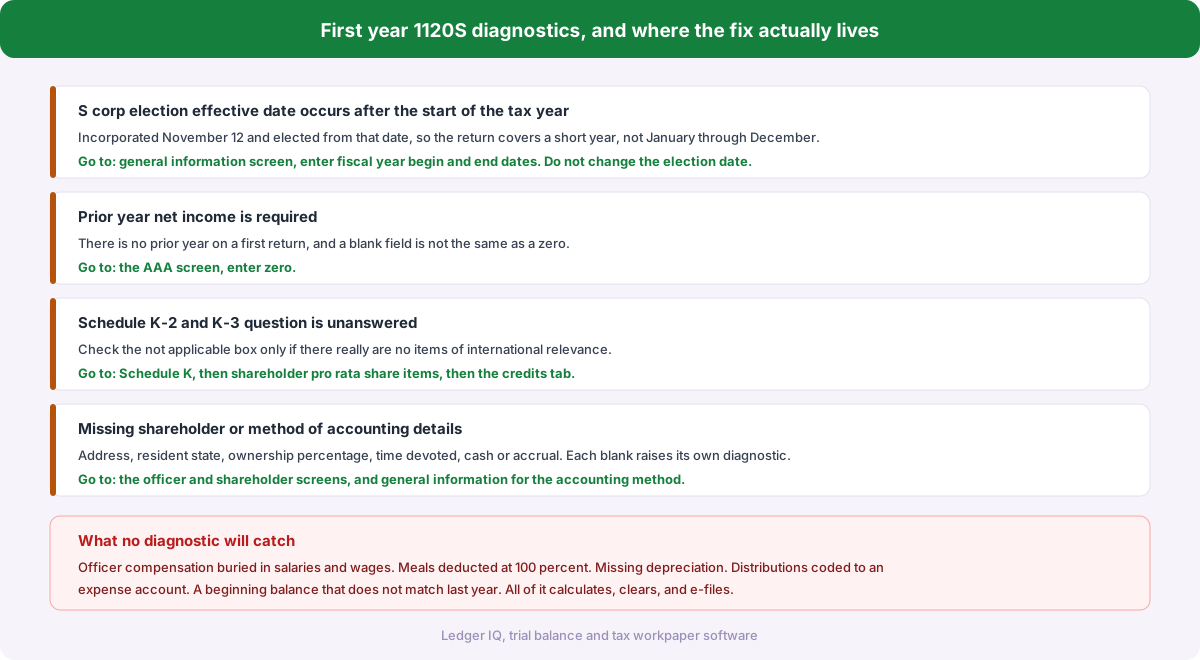
5. Beginning balances were entered for a first year return. On a first year entity the beginning column should be zero, or should match the contributed capital, and not much else. Software that carries a prior year forward into a brand new file will populate beginning figures that have no business being there.
6. Rounding, but only if the difference is tiny. Whole dollar rounding across a few hundred accounts can leave you off by a handful of dollars. If your difference is 3 or 7, stop looking for a story. If it is 4,300, rounding is not your problem and you should keep going.
The auto balance trap
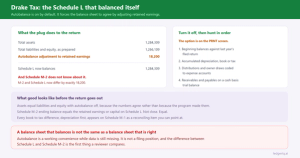
Most tax software offers to balance Schedule L for you by plugging the difference into retained earnings. Drake, Lacerte and UltraTax all have a version of this, and in Drake the runbook is to switch it off before importing a trial balance.
Turn it off, and leave it off.
Auto balance does not find your error. It hides it. The balance sheet now foots, retained earnings is wrong by exactly the amount you failed to explain, and the return looks finished. Next year that wrong retained earnings figure becomes the beginning balance, so the error is now permanent and compounding, and the person who inherits the client has no way to know it was ever a plug.
An out of balance balance sheet is information. It is telling you something did not make it onto the return. Silencing the signal does not resolve the cause, it just moves the conversation to a year when it is harder to reconstruct.
A worked example
A plumbing S corp. Total assets 312,400. Total liabilities and equity 308,100. Out by 4,300, assets too high.
Beginning column ties, so it is a current year issue. The trial balance balanced before import, so nothing was lost in the source file.
4,300 does not match accumulated depreciation, which is off by nothing here. It does not equal net income or distributions. But the trial balance has an account called Accrued Payroll with a credit balance of 4,300 and no tax line assigned, because the mapping run left it blank and nobody cleared the review queue.
That is cause four. The liability never reached Schedule L, so liabilities are understated by 4,300 and assets look correspondingly high. Map the account, re-export, and the balance sheet ties.
Total elapsed time once you know the order to check things in: about four minutes. Total elapsed time hunting at random: the rest of the afternoon.
Where Ledger IQ fits
Most of these causes share a root: the balance sheet is assembled from numbers that passed through a person and a keyboard between two systems that never compare notes.
Ledger IQ closes that loop in three places.
The Working Trial Balance proves the workpaper before anything exports. The totals row shows debits and credits at every column, unadjusted through tax balance, with a green check at zero. An out of balance source file is caught the moment it lands, not after it has been mapped and imported.
Nothing exports with an unmapped account still sitting in the review queue. Every AI suggested mapping has to be accepted or dismissed by you, and the export button stays disabled until the queue is empty. Cause four stops being possible.
Then the tie out view handles the rest. Key the as filed amounts from the populated return next to each tax line and Ledger IQ computes the difference, flagging anything that disagrees. A missing beginning accumulated depreciation or a retained earnings figure that did not roll forward surfaces as a specific flagged line with a number attached, which is a much better starting point than knowing only that the total is out by 4,300.
Ledger IQ supports Forms 1065, 1120S and 1120, with exports for Drake, Lacerte and UltraTax CS. Your first return is free, so you can try it at portal.ledgeriq.ai on a live client without a credit card.