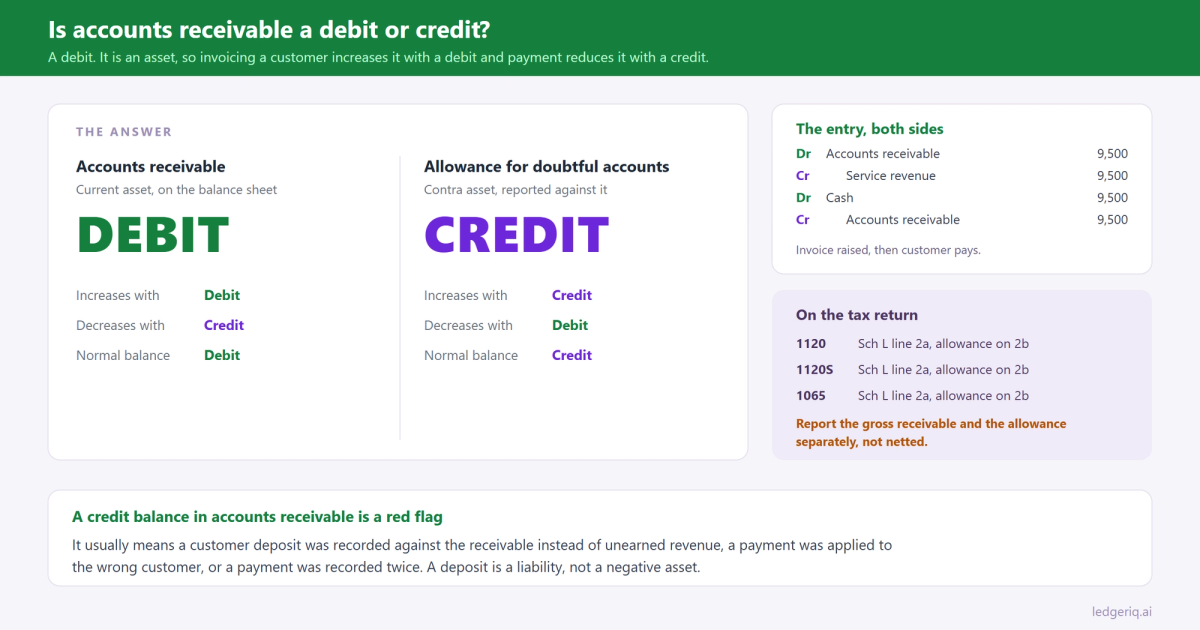
Accounts receivable is a debit. It is an asset, so it increases with a debit, decreases with a credit, and carries a normal debit balance. You debit it when you invoice a customer and credit it when they pay.
That is the answer. The rest of this page is what happens to the account between the invoice and the tax return.
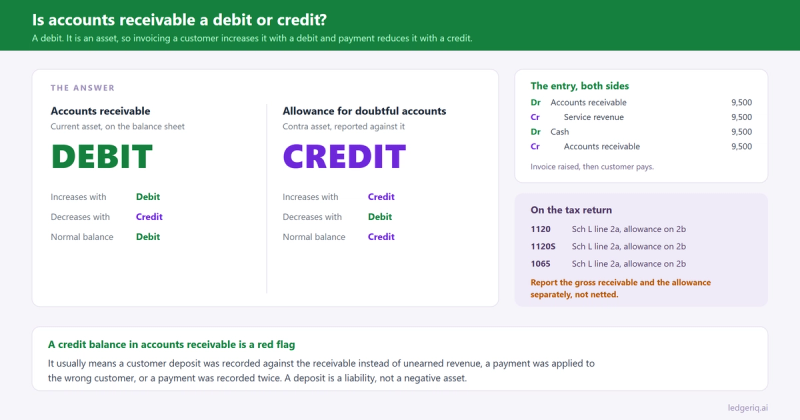
The short answer
Increases with: a debit. Every invoice you raise debits accounts receivable.
Decreases with: a credit. Every customer payment, credit memo or write off credits it.
Normal balance: debit. Accounts receivable should sit as a debit balance, or as a positive number in a signed balance column, at all times.
Why it works that way
Assets equal liabilities plus equity. Assets sit on the left of that equation and the left side increases with debits. Accounts receivable is an asset, a right to collect money, so it follows the same rule as cash, inventory and equipment.
Follow the transaction and it explains itself. You deliver the work and send an invoice. Revenue has been earned, so you credit revenue. Nothing arrived in the bank, so the other side is not cash. What you have is a promise from the customer, and that promise is an asset, so you debit accounts receivable.
When the customer pays, the promise turns into money. Debit cash, because cash increased, and credit accounts receivable, because the promise is gone.
It is the exact mirror of accounts payable, which is a liability and runs the other way. Where accounts payable is what you owe, accounts receivable is what you are owed, and the debits and credits reverse accordingly.
Journal entries, with numbers
Invoicing a customer 9,500 for services.
- Debit Accounts receivable 9,500
- Credit Service revenue 9,500
Receiving the payment.
- Debit Cash 9,500
- Credit Accounts receivable 9,500
Issuing a credit memo of 750 for an overcharge. The receivable comes down without any cash moving.
- Debit Sales returns and allowances 750
- Credit Accounts receivable 750
Recording the allowance for doubtful accounts of 4,200 at year end. This does not touch the receivable itself. It creates a contra asset that sits against it.
- Debit Bad debt expense 4,200
- Credit Allowance for doubtful accounts 4,200
Writing off a specific 1,100 account under the allowance method. Note that this entry has no effect on net receivables or on expense, because the expense was recognised when the allowance was set up.
- Debit Allowance for doubtful accounts 1,100
- Credit Accounts receivable 1,100
Writing off 1,100 under the direct write off method, which is what the tax return generally requires, since a deduction is allowed when a specific debt becomes worthless rather than when a reserve is estimated.
- Debit Bad debt expense 1,100
- Credit Accounts receivable 1,100
How it looks on a trial balance export
Separate debit and credit columns. Accounts receivable appears in the debit column. The allowance for doubtful accounts appears in the credit column, because a contra asset carries a credit balance.
A single signed balance column. Accounts receivable prints as a positive number. The allowance prints as a negative, or in parentheses. Both are correct.
The pairing is the thing to watch. On the export they are two accounts, and on the return they are two lines. Netting them into one figure before you start, which spreadsheets encourage, destroys information the balance sheet specifically asks for.
A credit balance in accounts receivable is the warning sign. It means customers have paid more than they owe, at least on paper. The usual causes are a customer deposit recorded against the receivable instead of to unearned revenue, a payment applied to the wrong customer, or a payment recorded twice. A genuine customer deposit is a liability and belongs there, not as a negative asset.
One more check: accounts receivable on the trial balance should agree to the accounts receivable aging report. If they differ, somebody posted a journal entry straight to the receivable account with no customer attached. That entry will never appear on the aging, so the two reports will disagree until it is found.
Where it goes on the tax return
Accounts receivable is a balance sheet account, so it lands on Schedule L, at book, with beginning and ending columns.
- Form 1120: Schedule L line 2a, Trade notes and accounts receivable, with line 2b for less allowance for bad debts
- Form 1120S: Schedule L line 2a, with 2b for the allowance
- Form 1065: Schedule L line 2a, with 2b for the allowance
Two points that decide whether those lines are right.
The allowance goes on 2b, not netted into 2a. The form asks for the gross receivable and the allowance separately. Reporting net understates both lines and makes the return disagree with the client's own balance sheet.
On a cash basis return, accounts receivable is usually zero. Revenue was never recorded until the money arrived, so there is no receivable to report. Books kept on accrual and filed on cash need the receivable movement backed out, which is the conversion covered in cash basis to accrual.
And a note on bad debts. The allowance method is a book concept. For tax, a business using the specific charge off method deducts a bad debt in the year it becomes worthless, so the movement in the allowance account is a book to tax difference that belongs on Schedule M-1 rather than an expense that flows straight through.
Mistakes that throw it off
Recording the customer payment as revenue instead of against the receivable. Revenue is now counted twice, once when invoiced and once when paid, and accounts receivable never clears. The balance climbs year after year and the client's income is overstated by the same amount. This is the receivable twin of the Undeposited Funds problem we wrote about in clearing Undeposited Funds.
Netting the allowance into the receivable. Both Schedule L lines are then wrong, and the allowance movement that should appear on Schedule M-1 has nowhere to come from.
Leaving invoices that will never be collected on the books. A four year old receivable from a customer who has closed is not an asset. It overstates assets and equity on Schedule L, and the write off is a real conversation about the year in which it became worthless, not a silent journal entry in whichever year somebody noticed.
Posting journal entries directly to accounts receivable. The general ledger moves and the aging does not, so the subledger stops agreeing with the balance sheet and nobody can tell which one is right.
Treating a customer deposit as a negative receivable. Money received before the work is done is unearned revenue, a liability. Parking it in receivables understates both current assets and current liabilities on the balance sheet.
Where Ledger IQ fits
For the tax return, accounts receivable comes down to two decisions: which Schedule L line each balance belongs on, and whether the balances on the trial balance are the ones that should go there.
In Ledger IQ, accounts receivable maps to Schedule L line 2a and the allowance for doubtful accounts maps to line 2b, as separate named lines. They are recorded decisions on the workpaper rather than a netting choice somebody made in a spreadsheet, so the return reports the gross receivable and the allowance the way the form asks for them.
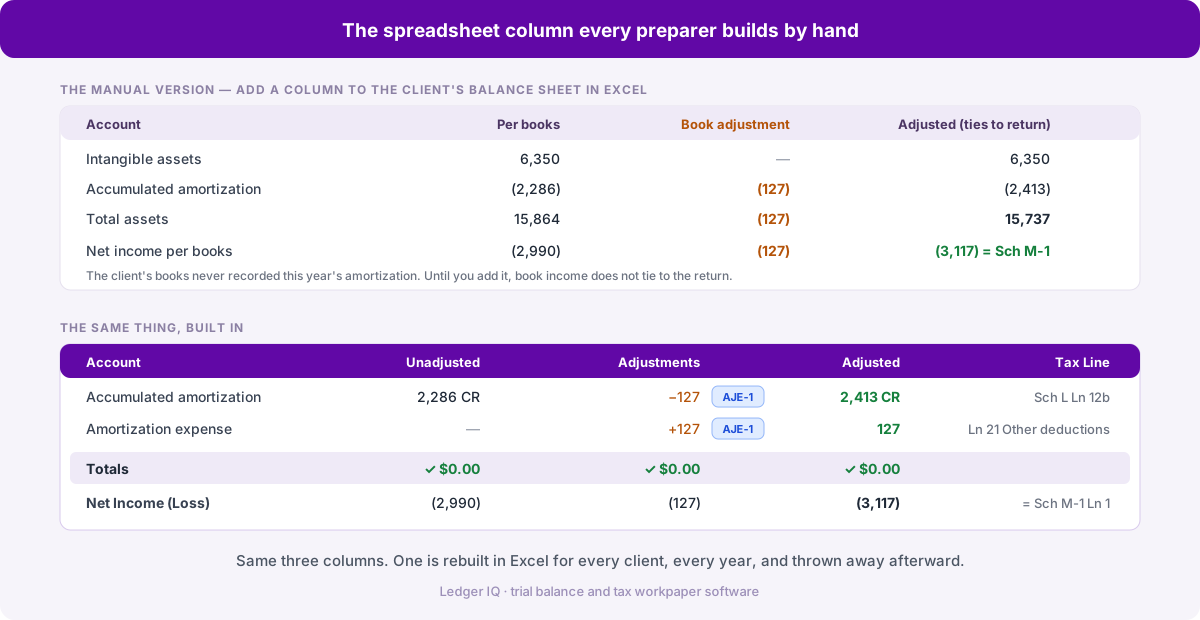
Where the balance needs work, a credit balance that turns out to be a customer deposit, a stale invoice being written off, the correction goes in as a numbered reclassifying or adjusting entry with its own description. It appears on the Working Trial Balance beside the unadjusted balance, so the reviewer can see what changed and why.
The allowance movement that belongs on Schedule M-1 goes in as a tax journal entry, which adjusts the tax balance column without touching the book figures. The workpaper then shows the book balance, the difference and the tax figure as three separate numbers.
And because mapping carries forward year over year, last year's receivable balance sits beside this year's, which is where a receivable that has only ever grown becomes visible as a comparison rather than as something you had to remember to check.
Ledger IQ supports Forms 1065, 1120S and 1120, with exports for Drake, Lacerte and UltraTax CS. Your first return is free, so you can try it at portal.ledgeriq.ai on a live client without a credit card.