
Here is the part of Drake Tax that catches people. Your Schedule L balances. It balances because Drake made it balance, and the plug went into retained earnings while you were looking somewhere else.
Drake calls the feature autobalance. It is on by default, it is genuinely useful during data entry, and it is the reason a return can foot perfectly and still be wrong.
What autobalance does
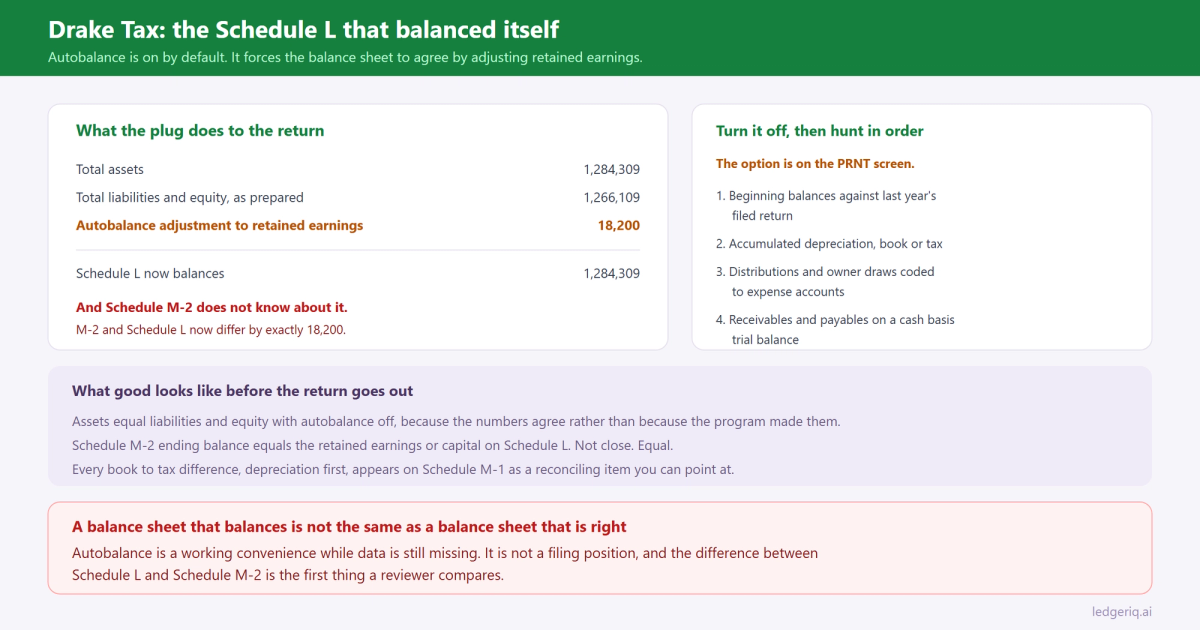
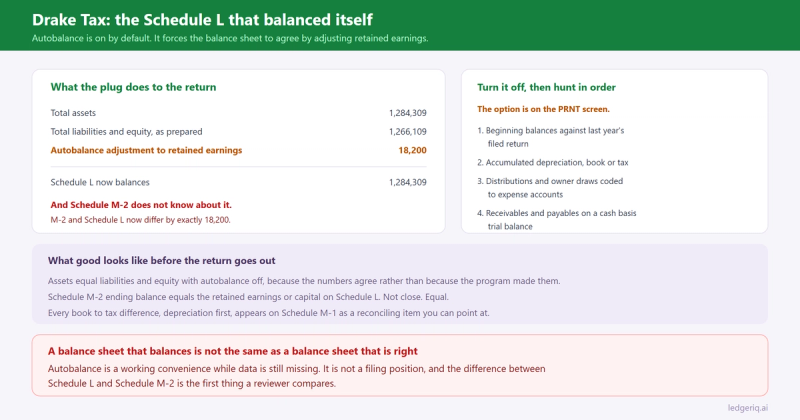
When total assets do not equal total liabilities and equity, Drake forces the two sides to agree by adjusting the ending retained earnings figure on Schedule L.
Nothing is hidden about it. The program reports the adjustment in the calculation results, and the amount is visible if you look at retained earnings on the return against what you expect it to be. But it happens without asking, so a return prepared quickly can print a tidy balance sheet whose equity section nobody has proved.
Two consequences follow, and the second is worse than the first.
Retained earnings on Schedule L no longer agrees with the client's books. That is the obvious one.
And Schedule M-2 no longer agrees with Schedule L. M-2 is a rollforward built from the beginning balance, net income per books, distributions and other changes. It does not know about the plug. So the ending balance on M-2 and the retained earnings on L differ by exactly the autobalance adjustment, which is the first thing a reviewer or an examiner compares.
Turn it off while you work
The setting lives on the PRNT screen in the return, where there is an option to turn off autobalance for that client.
Turn it off. Then the return tells you the truth: the balance sheet does not balance, by this amount, and you go and find out why.
Leave it on and you have delegated the hardest judgment on the balance sheet, which is what the difference means, to a routine that puts it in equity because equity is where a plug fits arithmetically.
The one time the default is genuinely handy is mid preparation, when you know data is still missing and you want a clean set of calculated results to look at. That is a working convenience. It is not a filing position.
Find the difference in a fixed order
Once autobalance is off, work through the causes in order rather than staring at the whole balance sheet. The full version of this hunt is in Schedule L is out of balance. The Drake specific notes worth adding:
Check the beginning column first. Drake carries prior year balances forward when the return was prepared in Drake last year. If the client's books were adjusted after filing, or the return was amended, beginning balances and the trial balance disagree and the difference lands where nobody looks.
Look at depreciation next. Schedule L wants book accumulated depreciation. Drake's 4562 screen is producing tax depreciation for Form 4562 and page 1. If the accumulated depreciation on Schedule L came from the depreciation schedule rather than from the client's general ledger, the difference between the two systems is exactly your out of balance amount. That is the single most common cause across every tax package, and we wrote up why the two figures differ in book vs tax depreciation.
Then the distributions and draws. Owner draws coded to an expense account never reach the equity section, which throws both net income and equity. On a 1065 the partner capital accounts have to agree in total to Schedule L line 21, and on an 1120S the M-2 columns have to agree to line 24 or line 25 depending on what the equity is made of.
Then inventory and payables. A cash basis trial balance used for an accrual return is missing receivables and payables entirely, which produces a large, clean difference that looks mysterious until you notice which two lines are zero.
The 250,000 question is not an escape
Drake will skip Schedules L, M-1 and M-2 when the return meets the small entity conditions, and there is a screen where that is controlled per return.
Skipping them does not make the balance sheet right. The balances still exist, they still roll forward, and the year the client crosses the threshold somebody has to reconstruct several years of movement from whatever survives. We covered how that test works on an 1120 in does Form 1120 need Schedule L, M-1 and M-2.
A firm that turns the schedules off and never builds the workpaper is borrowing time at a bad rate.
What good looks like
Before the return goes out, three things should be true, in this order.
Total assets equal total liabilities and equity, with autobalance off, because the numbers agree rather than because the program made them agree.
Schedule M-2 ending balance equals the retained earnings or capital reported on Schedule L. Not close. Equal.
Every difference between book and tax, depreciation first, appears on Schedule M-1 as a reconciling item you can point at, rather than being absorbed somewhere in the equity section.
If all three hold, the balance sheet is proved. If any of them needs a sentence of explanation that starts with "the software", it is not.
Where Ledger IQ fits
Autobalance exists because the tax software is handed numbers that do not agree and has to do something. The real fix is upstream: the balance sheet should already be proved before anything reaches Drake.
That is what the Working Trial Balance in Ledger IQ is. Debits and credits with a totals row, so a file that does not foot is visible on upload rather than after mapping. Every account mapped to a named return line, reviewed and approved, so nothing lands in equity because it had nowhere else to go.
Distributions map to their own line rather than dissolving into an expense account. Fixed asset cost and accumulated depreciation map to separate Schedule L lines at book, and the book to tax difference goes in as a tax journal entry that shows on the workpaper instead of being absorbed into retained earnings.
The export to Drake then carries balances that already tie, and the tie out view lets you key the as filed figures back in to prove the return matches the workpaper line by line. When retained earnings on the return disagrees with your schedule, you see it as a flagged difference rather than as a balance sheet that quietly balanced itself.
Ledger IQ supports Forms 1065, 1120S and 1120, with exports for Drake, Lacerte and UltraTax CS. Your first return is free, so you can try it at portal.ledgeriq.ai on a live client without a credit card.