The trial balance arrives on a Tuesday in February. Debits 1,284,309. Credits 1,282,847. It is out by 1,462.
The client says the books are fine, their bookkeeper says the books are fine, and the file reconciles to the bank. Somebody is wrong, and for the next hour it is going to be your problem.
Here is how to find the difference quickly, and which causes are worth checking before you start scrolling through a general ledger.
First, decide which of two problems you have
They get talked about as one thing and they are not.
The trial balance does not foot. Total debits do not equal total credits. This is a bookkeeping failure in the source data. A double entry system should make it impossible, which is why, in a real accounting package, it almost never happens by accident.
The balance sheet on the return does not balance. The trial balance footed perfectly, and Schedule L still does not tie. That is a different animal with different causes, and we wrote it up separately in Schedule L is out of balance.
If the file you were sent is an Excel export rather than a report generated live from the accounting system, add a third option: the export is incomplete. A filtered report, a date range that cut off a month, a sheet where somebody deleted a row. Check the footing in Excel before you accept that the underlying books are broken.
The arithmetic that narrows it in thirty seconds
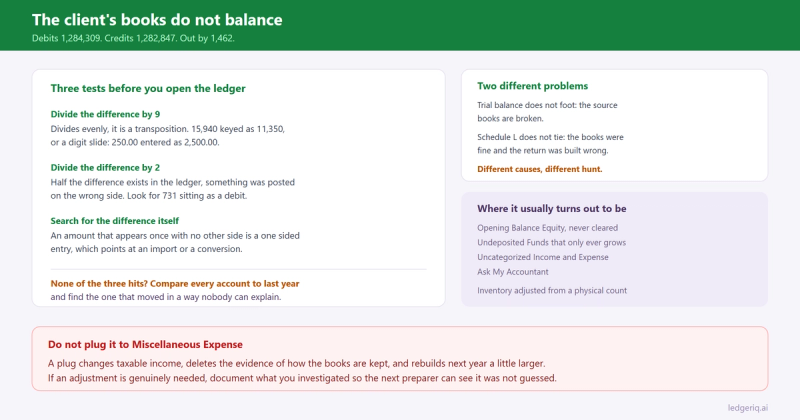
Before opening the general ledger, run the difference through three tests. They are old, they are mechanical, and they still work because the underlying mistakes have not changed.
Divide the difference by 9. If it divides evenly, you are almost certainly looking at a transposition. 1,462 is not divisible by 9. But 4,590 is, and a 4,590 difference points at a number entered with two digits swapped, like 15,940 keyed as 11,350. The same test catches a digit slide, where 250.00 was entered as 2,500.00.
Divide the difference by 2. If half the difference equals an amount you can find in the ledger, something was posted on the wrong side. A 1,462 difference means looking for a 731 entry that should have been a credit and went in as a debit. This is the most common cause when a human made the entry.
Search the ledger for the difference itself. An amount that appears exactly once, with no matching other side, is a one sided entry. Most software will not let you save one, which points back at an import, a conversion from another system, or a spreadsheet that was hand assembled.
If none of the three hits, stop guessing and compare this year to last. A side by side of every account against the prior year balance will surface the account that moved in a way nobody can explain, and that is usually the one.
When the books are in QuickBooks, it is rarely arithmetic
This is where most preparers waste the hour, because they go looking for a keying error in a system that mathematically cannot produce one.
QuickBooks will not save an unbalanced journal entry. If a trial balance out of QuickBooks does not foot, the cause is almost always one of these instead.
The report basis. A trial balance run on cash basis excludes accounts receivable and accounts payable, and QuickBooks reclassifies the offsets in ways that look wrong to anyone reading it as an accrual report. Check Customize Report and look at the basis before anything else. If you are preparing an accrual return from cash basis books, that conversion is its own project, covered in converting cash basis books to accrual.
The date range. A report dated through 12/30 rather than 12/31, or a fiscal year that does not match the return period, produces numbers that are internally consistent and useless to you.
Data damage. Rare, but real. Run Verify Data, and if it reports a problem, Rebuild Data. A file that has been through a conversion, a crash during a large import, or years of network use is the candidate.
Multiple currencies. The exchange gain or loss account and the way unrealised amounts are revalued at period end will make a converted report look off unless you know it is switched on.
The accounts that are usually the real answer
Once the report itself is trustworthy, the difference is nearly always sitting in one of four places, and each one tells you something about the client.
Opening Balance Equity. QuickBooks creates it when an account is set up with an opening balance, and it is supposed to be cleared to retained earnings or owner equity once the file is set up. A balance sitting in it years later means the original setup was never finished. It is not a plug you can carry on the return. Work out what it represents and reclassify it.
Undeposited Funds. A balance that only ever grows is usually double counted revenue, and it is worth catching before you file rather than after. We covered how to age it and what the balance is telling you in cleaning up Undeposited Funds.
Uncategorized Income, Uncategorized Expense and Ask My Accountant. These are the bookkeeper telling you, in the only way the software allows, that they did not know where something went. Read them as a question, not as an account.
Inventory. If the client tracks inventory in QuickBooks and also books a manual adjustment at year end from a physical count, the two will fight. Cost of goods sold moves, the inventory asset account moves, and neither matches what the client believes. That one reconciles to Form 1125-A, not to the trial balance.
Do not plug it
The temptation at hour two is a journal entry to Miscellaneous Expense or, worse, an account named Suspense, and then the return goes out.
Three reasons not to.
The difference is evidence. It is telling you something about how the books are kept, and that information is worth more than the hour you save. A 1,462 difference that turns out to be a misposted payroll liability means the payroll liability account is wrong every month, not once.
A plug in an expense account changes taxable income. You have now signed a return with a deduction that is supported by nothing. If the difference has to be resolved by an adjustment, put it somewhere defensible and document what it is.
And it comes back next year. Nothing about the client's process changed, so the same difference rebuilds, usually a little larger, and the next preparer inherits both of them.
The correct move, when the number is genuinely small and genuinely unexplainable, is a documented adjusting entry with a description that says what you investigated, not a silent plug that reads to the next reviewer as though it were reconciled.
Where Ledger IQ fits
Most of the hour above is spent proving that the trial balance you were sent is complete and internally consistent, before any tax work starts.
Ledger IQ does that check on upload. The Working Trial Balance shows the totals row with the difference, so a file that does not foot is visible in the first thirty seconds rather than after you have mapped forty accounts. Nothing exports while it is out.
Accounts the client could not classify, the Opening Balance Equity balances and the Ask My Accountant lines, cannot quietly ride along either. Every account has to be mapped to a named return line and reviewed before an import file is generated, so the unexplained ones become a list of questions for the client instead of a surprise on Schedule L.
When the fix is an adjustment, it goes in as a numbered adjusting or reclassifying entry with its own description, visible on the workpaper beside the unadjusted balance. Next February the entry is still there, with the reason, so the person who picks up the file can see the difference was investigated rather than plugged.
And because the year over year rollforward puts last year's balances beside this year's, the accounts that drift are visible as a comparison rather than as something you have to remember to check.
Ledger IQ supports Forms 1065, 1120S and 1120, with exports for Drake, Lacerte and UltraTax CS. Your first return is free, so you can try it at portal.ledgeriq.ai on a live client without a credit card.