Most QuickBooks versus Xero comparisons are written for the business owner. Invoice templates, mobile apps, how pretty the dashboard looks.
This one is written for the person who gets the file in February and has to turn it into a return. Different question entirely. The platform your client picks in November decides how much of your March goes on fixing their chart of accounts.
Here is what each costs right now, what each gets right, and what each one does to your trial balance.
| For the preparer | QuickBooks Online | Xero |
|---|---|---|
| Client pays, list | 38, 85, 140 and 340 a month, plus a free tier | 27, 59 and 97 a month |
| Your firm pays | 30 percent off ongoing, firm billed, through ProAdvisor | Partner discounts, plus Ledger at 4 and Cashbook at 10 per client |
| Users | 1, 3, 5 or 25 by tier | Unlimited on every plan |
| Trial balance export | Accounts by name, and names change | Account codes, stable year to year |
| Cash or accrual | One click toggle, easy to misread | Accrual only, convert in the workpaper |
| Where the mess hides | Undeposited Funds, Opening Balance Equity, collapsed subaccounts | Historical Adjustments from a migration, and Suspense |
| Payroll | Native | Through Gusto, an add on |
| Best fit | Most US clients, for the ecosystem | Several users, international, or compliance only |
What the client pays
List prices as published by each vendor in October 2026. These are the retail rates a business owner sees. What your firm pays is a different number, and it is the next section.
QuickBooks Online lists five tiers: a free plan, Simple Start at 38 dollars a month, Essentials at 85, Plus at 140 and Advanced at 340. Users are capped per tier at 1, 3, 5 and 25, with accountant seats on top of that. Intuit runs a standing 50 percent discount for the first three months, so the number a client repeats to you is often half the real one.
Xero lists three: Early at 27 dollars a month, Growing at 59 and Established at 97. Every plan includes unlimited users. Early is capped at 20 invoices and 5 bills a month, which rules it out for most real businesses, so the working comparison is Growing or Established against Plus.
The headline is that Xero is cheaper on paper and much cheaper once a client has staff. A five user QuickBooks file sits on Plus at 140 a month. The same five users on Xero Growing cost 59, and the sixth user costs nothing.
The counter is that price is not what makes a platform expensive. A client on the wrong system costs more in your time than either subscription.
What your firm pays, which is not the same thing
Both vendors run free programs for accountants, and both discount heavily through them. Quoting retail to a client when you could be billing them through your firm is leaving money on the table.
QuickBooks. ProAdvisor Preferred Pricing is free to join and gives three routes. Firm billed, at 30 percent off ongoing, where Intuit bills your firm and you bill the client. Client billed, at 30 percent off for 12 months, after which it reverts to list. Or revenue share, at 50 percent off the first three months with Intuit billing the client. On Advanced, the 30 percent route takes 340 dollars a month down to 238.
Xero. The partner program is also free, with status tiers from partner up to platinum, and subscription discounts on business edition plans that increase with tier. You also get a free Xero subscription to run your own practice.
The bigger lever is the partner only plans. Xero Ledger is 4 dollars a month per client and Xero Cashbook is 10, available only through the partner program. Ledger carries bank reconciliation, fixed assets, budgets and financial statements, with no bank feeds and no invoicing. Cashbook adds daily bank feeds.
For a year end only client, that is the number that matters. A compliance client who does not invoice from the system costs 4 dollars a month on Xero Ledger against 38 or more on a retail QuickBooks subscription. For a firm carrying 40 of those clients, it is the difference between roughly 1,900 dollars a year and 18,000.
QuickBooks has no true equivalent to Ledger. The nearest thing is the 30 percent firm billed discount on a real subscription, which still lands far above 4 dollars.
Where the real difference shows up at tax time
The trial balance export. Xero wins this, and it is not close. The export separates debit and credit columns, includes account codes, and those codes stay stable year over year. QuickBooks identifies accounts by name, and names get renamed, so mapping that worked last February may not match this year. We covered both exports in detail: QuickBooks Online, QuickBooks Desktop, which is a different animal again, and Xero.
Cash versus accrual. QuickBooks has a one click basis toggle on every report. Convenient, and the single easiest way to hand yourself a balance sheet with no receivables and no payables. Xero reports accrual with no toggle, so a cash basis return means a real conversion in the workpaper rather than a setting, which is more work and fewer silent errors. The conversion itself is in cash basis to accrual.
Where the mess hides. In QuickBooks it is Undeposited Funds that only ever grows, and Opening Balance Equity that nobody cleared after setup. In Xero it is Historical Adjustments, where conversion balances went when a migration did not balance, plus Suspense. Different names, same job: a list of questions for the client rather than accounts to map.
Subaccounts. QuickBooks files lean on parent and child accounts, and a collapsed report hides the officer wages split you need for Form 1120S line 7. Xero files lean on account codes instead, which travel better into a workpaper.
Fixed assets. Neither platform's book depreciation will match the tax depreciation on Form 4562, and that is fine, but it is the single most common reason Schedule L stops tying. The reconciliation is the same either way, and we worked it through in book vs tax depreciation.
Where QuickBooks still wins
Ecosystem. Every bookkeeper you might hire knows QuickBooks. Fewer know Xero. If the client's plan is to hand the books to a local firm at year end, QuickBooks is lower friction, and that matters more than any feature.
Reporting out of the box. QuickBooks ships more canned reports. For tax work the difference is small, since you are taking a trial balance either way, but clients notice it during the year.
Payroll. QuickBooks Payroll is native. Xero in the US routes payroll through Gusto as an add on, which works, and is one more system in the chain when you are chasing a wage accrual in March.
Inventory and class tracking on Plus and Advanced are more developed than Xero's equivalents at the comparable tier.
Where Xero still wins
User pricing. Unlimited users on every plan. For a client with a bookkeeper, an office manager and two owners, this is the whole argument.
The export, as above. Codes rather than names, and cleaner columns.
Bank reconciliation. Xero's reconciliation workflow is the centre of the product rather than a screen inside it, and clients who reconcile weekly tend to hand over better books.
Pricing predictability. Three plans, no seat math, no three month discount that expires into a surprise.
Partner only plans. Ledger at 4 dollars a month for compliance clients has no QuickBooks equivalent, and for a firm with a book of year end only clients it changes the economics of the engagement.
What practitioners actually say
Worth being straight about sourcing here. Reddit, G2, Capterra and TrustRadius all block automated access, so rather than paraphrase reviews we cannot read, this is drawn from accountants who have written publicly about running both.
The pattern is consistent. Firms that moved clients to Xero cite seat math as the trigger, not features: a five user QuickBooks file is a different conversation when the client wants a sixth. Firms that stayed cite the ecosystem, and specifically how easy it is to find someone who knows QuickBooks when the client's bookkeeper leaves. The practitioner comparison at Acuity, written by a firm that supports both, lands in the same place: Xero for multi user and international, QuickBooks for most everyone else in the US.
On reporting, the split is that QuickBooks ships more and Xero's builder is more flexible. For tax work, neither changes your February.
What none of the reviews mention, and what decides your season, is what happens after the export. Both platforms produce a trial balance. Neither produces a tax return.
So which should the client be on
Most US small business clients: QuickBooks Online, for the ecosystem rather than the software.
Clients with several users, or anything international: Xero. The user pricing is real, and the cleaner export is a genuine time saving for your firm.
Clients already on one, working fine: leave them. The best time to switch is the first day of a fiscal year, and the second best is never. A mid year conversion leaves two sets of books, two trial balances and a reconciliation nobody budgeted for.
If you are advising on this in November, the useful question is not which platform is better. It is which platform the people who touch these books every week will actually keep clean.
Where Ledger IQ fits
Here is the part the platform comparison never reaches.
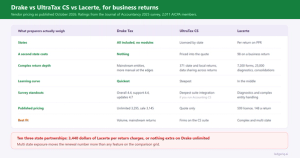
Whichever one the client lands on, you end up with a trial balance in Excel or CSV and a return that needs about 14 named lines populated. The gap between those two is where the hours go, and it is identical regardless of which logo is on the export.
Ledger IQ takes the trial balance from either, QuickBooks Online, QuickBooks Desktop or Xero, parentheses, negative signs, subaccounts, account codes and all, and reads the signs rather than making you fix them first. The Working Trial Balance shows debits, credits and a totals row, so a file that does not foot is caught before any tax work starts.
Each account then maps to a named tax return line, Schedule L line 16 rather than a code you look up, with AI suggested mappings you review and approve. Mapping memory carries forward on the account, so the second season with the same client is a review of what changed rather than a full remap, and a new account surfaces as a decision rather than quietly inheriting its neighbour's treatment.
Accounts that should never reach a return, Opening Balance Equity and Historical Adjustments among them, cannot ride along unnoticed, because nothing exports until every account has been mapped and reviewed.
Adjusting, reclassifying and tax entries live on the workpaper as numbered entries with their own descriptions. At the end you get an import file for Lacerte, UltraTax CS or Drake Tax, and a tie out view that lets you key the as filed numbers back in to prove the return matches the workpaper.
Which is the real answer to the question behind the comparison. The platform decides how clean the trial balance arrives. What happens next is where the season is won.
Ledger IQ supports Forms 1065, 1120S and 1120, with exports for Drake, Lacerte and UltraTax CS. Your first return is free, so you can try it at portal.ledgeriq.ai on a live client without a credit card.