Trial balance software for tax preparation does one job: it turns a client's general ledger into mapped, tax ready balances and hands them to your tax software, without anyone retyping a number.
Seven products do that for US firms. They differ on which tax packages they can feed, what they charge before you have prepared anything, and what you end up paying for that your firm will never use. This page compares them on all three, from each vendor's published material in October 2026.
Disclosure: we build Ledger IQ. We think it is the right answer for most tax focused firms, and the comparison below says why. It also says where it is not.
Jump to a product
- Why we think Ledger IQ stands above the rest
- Tallyfor
- ATB from Ten Key
- BalanceWare
- Quick Trial Balance Pro
- regroupTAX
- CCH Axcess Engagement Essentials
Also worth reading: what you may already own, what it replaces and what that is worth, what actually matters when you choose, and the recommendation.
| Product | Strongest at | The catch | Entry cost |
|---|---|---|---|
| Ledger IQ | Business returns end to end: AI mapping you approve, AJEs, RJEs and TJEs, return tie out, exports to Drake, Lacerte and UltraTax CS | Built for 1065, 1120 and 1120S, and no CCH or ProConnect export | First return free, then $25 down to $10 |
| Tallyfor | The widest export list, including CCH Axcess and ProConnect | Priced per binder, a document layer most firms already pay for elsewhere | 25 binder minimum at $40 each, about $1,000 |
| ATB, Ten Key | Audit style depth: consolidations, analytical procedures, ratio comparisons | No Drake export, and audit features a tax only firm never opens | $500 a year, 5 users |
| BalanceWare | Write up breadth: bank reconciliation, amortisation, SSARS engagement letters | Desktop first, so installs, updates and remote access are your problem | Not published |
| Quick Trial Balance Pro | Simplicity, and a genuinely short learning curve | No tax software export stated, so the return still gets keyed by hand | Not published |
| regroupTAX | Tax return ordered workpapers, and a published 1.3 hours saved per return | Exports only to CCH Axcess and ProSystem fx | Not published |
| CCH Engagement Essentials | Native inside CCH Axcess, with no export step at all | Only useful if you file in CCH Axcess Tax, and you are buying a platform | Not published |
The short version, if you are shortlisting today
Which tax software do you file in? That one question removes most of the list. In the AICPA's 2025 survey of 2,011 members, UltraTax CS, Drake and Lacerte together accounted for 55% of the profession. Ledger IQ exports to all three. ATB covers two of them, but not Drake. regroupTAX and Engagement Essentials cover neither, because both are built for CCH.
What do you pay before preparing a single return? Tallyfor starts at a 25 binder minimum, so roughly $1,000. ATB starts at $500 a year. Ledger IQ starts at nothing, because the first return is free, and the smallest purchase after that is $250.
How quickly can you find out whether it works? Run a real client through Ledger IQ today, free, with no card and no demo call.
The options, one by one
1. Why we think Ledger IQ stands above the rest
We built Ledger IQ for one job: taking a business client's trial balance to a filed 1065, 1120 or 1120S. Everything in it serves that, and nothing in it serves anything else.
Where it is strong:
- It reads the file you actually have. Excel or CSV from QuickBooks Online, QuickBooks Desktop, Xero, Sage or anything else that exports. Parentheses, negative signs, subaccounts and account codes are read as they come, so nothing needs cleaning first.
- It catches a broken file in the first 30 seconds. The Working Trial Balance shows debits, credits and a totals row, so a file that does not foot is visible before you have mapped anything.
- Mapping is a decision, not a lookup. Accounts map to named return lines, Schedule L line 16 rather than a code, with AI suggestions you review and approve. Nothing exports until every account is mapped and reviewed, so Opening Balance Equity, Undeposited Funds and Ask My Accountant become questions for the client instead of surprises on the balance sheet.
- The second season is a review, not a rebuild. Mapping memory carries forward on the account, so next February you are looking at what changed.
- Book and tax stay separate. Adjusting, reclassifying and tax entries are numbered, described and visible beside the unadjusted balance. Tax entries move the tax column without touching the book figures, which is how a book to tax difference ends up documented on Schedule M-1 rather than plugged.
- It hands the return to your tax software. Import files built for Drake Tax, Lacerte and UltraTax CS, each with a step by step guide showing exactly where the file goes once it is generated.
- It proves the return. Key the as filed figures back in and the tie out flags any line that disagrees with your workpaper, before the return goes out.
- The price is on the website. First return free with no card, then $25 a return falling to $10 as you buy more, or $1,200 for unlimited returns through the end of 2027. The pricing calculator runs your own numbers.
The honest way to judge any of this is on your own client rather than our description of it. The first return is free, with no card and no demo call, so you can start one at portal.ledgeriq.ai and see what your own trial balance does in it.
Where it is not the answer: we export to Drake, Lacerte and UltraTax CS, so if you file in CCH Axcess or ProConnect, we are not a candidate. We cover business returns, 1065, 1120 and 1120S, so a practice built around 1040s and trusts will want something broader. And if your trial balance work is audit rather than tax, the analytical tools in ATB are real and we do not have them.
2. Tallyfor
The closest competitor in shape. Browser based, imports from QuickBooks Online, Xero or a spreadsheet, keeps book, reclass and tax entries side by side, persists mappings year over year, and exports to the widest list here: CCH Axcess, Drake, Lacerte, ProConnect and UltraTax. If you file in CCH and want a modern tool, it is the strongest option on this page.
The catch is the pricing model. Tallyfor charges per binder: $40 each from 25 to 99 binders, then $36, $32, $28, $24 and $20 as volume passes 100, 300, 500, 750 and 1,000.
Two things follow from that.
- There is a floor. The base plan starts at 25 binders, so the entry ticket is about $1,000 before you have prepared anything. A per return model lets you pay for the eleven returns you actually file.
- You are buying a binder. Most firms already have one, whether that is SafeSend, SPbinder, a document management system or a disciplined folder structure, and few will abandon it for a binder that holds only trial balance workpapers. Paying per binder for a second binder system is paying twice for something you own.
If the binder genuinely becomes your workpaper system, the price is fair. If it does not, it is $40 a client for a feature nobody opens. At 40 business returns that is $1,600, against $825 on a per return model.
3. ATB from Ten Key
The veteran of this list, and the feature set shows it: consolidations, analytical procedures with ratio comparisons, a financial statement editor, version history, account grouping and document attachments. It imports from QuickBooks and Xero, and it publishes its price: $500 a year for 5 users and 250 clients, $900 for 10 users and 500 clients, $1,500 for 20 users and 1,000 clients.
Two catches for a tax focused firm.
- No Drake. It links to UltraTax, ProSeries, ProSystem fx, Axcess Tax and Lacerte. Drake is 16.3% of the profession, so for a large slice of firms the one feature that matters is the missing one.
- The depth is audit depth. Analytical procedures, ratio comparisons and consolidations are review and audit features. A tax only practice pays for them in every renewal and never opens them.
Flip that around and the logic reverses. If you do audit and review work alongside tax, those same features are the reason to put ATB at the top of your list.
4. BalanceWare
Reaches further into general accounting than anything else here: bank reconciliation, cleared check imports, loan amortisation, pro forma modelling, SSARS support with engagement letters, and general ledger pivot analysis in Excel. The export list is good too, covering UltraTax, Drake, the Lacerte trial balance utility, ProSystem fx Engagement and Workpaper Manager.
The catch is the deployment. It is a desktop product with optional cloud storage, which is not the same thing as a browser tool. That means installs, version updates, and network or remote setup for every preparer, with the file living on a machine rather than in an account. For a firm with staff in three locations, that is an IT project attached to a trial balance tool. Pricing is not published, so evaluating it starts with a call.
5. Quick Trial Balance Pro
Deliberately simple, and honest about it: desktop for Windows and Mac, unlimited journal entries, lead schedules, custom financial statements, imports from QuickBooks, Excel, ATB and Workpapers Plus, and an explicit promise of a very slight learning curve. For a sole practitioner who wants a better spreadsheet, that describes the need well.
The catch is the last mile. The features page states no tax software export. Without an import file at the end, the software has tidied your trial balance and left you keying the return by hand, which is the part that costs the hours. Confirm it before buying, because that is the difference between a workpaper tool and a tax preparation tool.
6. regroupTAX
Narrow, and better for it: a cloud workpaper tool that organises financial data in tax return order, with book to tax reconciliation, QuickBooks Online and Xero integrations, and the only published benchmark on this page, an average of 1.3 hours saved per business return.
The catch is the export list. It produces an Excel file built for CCH Axcess and CCH ProSystem fx. If you file in Drake, Lacerte or UltraTax, it is not a candidate, however good the workpapers are.
7. CCH Axcess Engagement Essentials
Produces trial balances for business tax engagements inside CCH Axcess, with QuickBooks Online and Xero integration. For a firm already on CCH Axcess Tax, buying the trial balance step from the same vendor removes the export entirely, which is a genuine advantage.
The catch is the lock in. It is only useful if you file in CCH Axcess Tax, so this is not really a trial balance decision at all. You are choosing a platform, at platform pricing, quoted rather than published.
What you may already own
Check your tax software before buying anything.
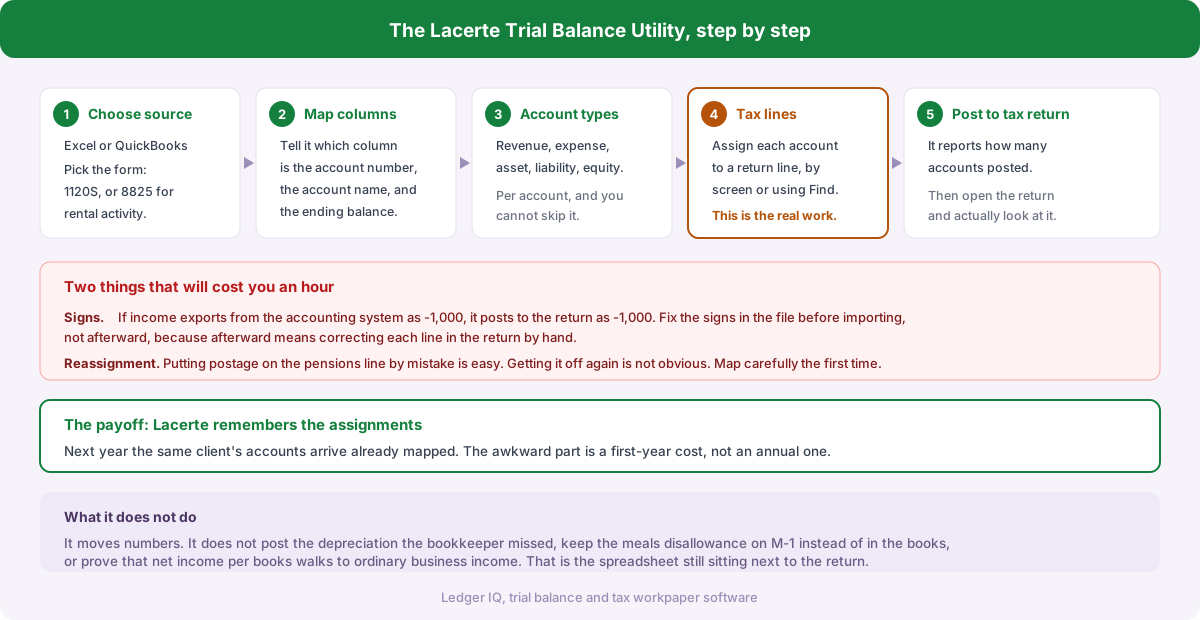
- Lacerte ships a trial balance utility that most Lacerte firms never switch on. We covered how to drive it in using the trial balance utility in Lacerte.
- Drake imports a trial balance through a spreadsheet template, covered in entering a trial balance in Drake Tax.
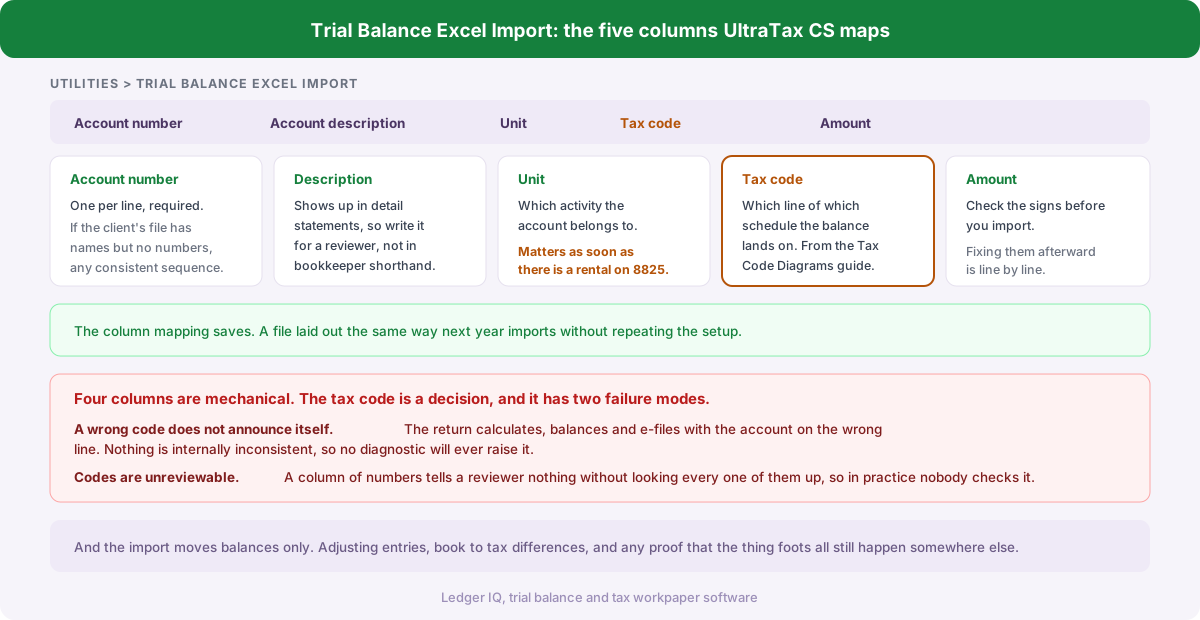
- UltraTax CS connects natively to Accounting CS and Workpapers CS, covered in importing a trial balance into UltraTax CS.
Firms buy a separate tool anyway because the built in option solves the import, and not the mapping, the adjusting entries or the review trail that come before it.
And Excel
Still the most used trial balance tool in the profession, and for a handful of returns it is defensible. What Excel does not do is remember. Every February the mapping is rebuilt, and the only record of last year's decisions is a tab named Final v3. The limits are in modern trial balance software vs Excel.
What it replaces, and what that is worth
The process all seven target looks the same in most firms. The client's trial balance arrives as a spreadsheet. Somebody rebuilds it in Excel, decides which account belongs on which line of the return, posts the adjusting entries in a second tab, then keys the result into the tax software one balance at a time. Next February it happens again from scratch.
Two costs come out of that. The first is time: at one to two hours of mapping and data entry per business return, a hundred return book is 75 to 100 hours a season, about two working weeks. The second is accuracy, because retyping is where transpositions enter a return, and a transposed figure that still balances is the kind nobody finds until a notice arrives.
Put numbers on it. At 40 business returns, two hours each, with an associate at $40 an hour, the manual route costs $3,200 in staff time. The same 40 returns in Ledger IQ cost $825, and nothing is retyped.
What actually matters when you choose
Does it export to the tax software you file in? This removes more candidates than everything else combined, so check it first.
Does the mapping carry forward? The work is not mapping 180 accounts once. It is mapping them again next year because nothing remembered. Season two is where a tool either pays for itself or quietly stops being used.
Can you post adjusting, reclassifying and tax entries separately? Book to tax differences belong in their own column rather than merged into the client's books. If they are not separable, the workpaper cannot show what you changed, which is the first question any reviewer asks.
Is there a review trail? Numbered entries with descriptions, visible beside the unadjusted balance.
Can you see the price without a call? Three of the seven publish rates: Ledger IQ, Tallyfor and ATB. The rest need a sales cycle, which a firm shortlisting in October may not have.
What are you paying for that you will not use? Binders you already have elsewhere, audit analytics in a tax only practice, write up breadth in a firm that does no write up. Every one of those sits in somebody's subscription on this page.
Can you try it on a real client before paying? A demo file never contains Opening Balance Equity, four renamed accounts and a bookkeeper's guess. A live client does.
The recommendation
A tax focused firm filing in Drake, Lacerte or UltraTax CS: Ledger IQ. It exports to all three, the pricing is published and starts at nothing, mapping memory and the return tie out are built around the business return, and you can prove it on a live client this afternoon. Start free.
Filing in CCH Axcess or ProConnect: Tallyfor, or Engagement Essentials if you want it inside the platform. Our export list does not cover you, and pretending otherwise would waste your time.
Audit and review work alongside tax: ATB. The analytical procedures and consolidations are real, and the price is published.
A desktop firm doing write up as well as tax: BalanceWare.
Two or three business returns a year: Excel, honestly. Revisit it when the second season starts costing you.
The part every one of these tools exists for
In the Journal of Accountancy's 2025 tax software survey of 2,011 AICPA members, integration with accounting software was the lowest rated dimension of any measured, averaging 3.3 out of 5, below ease of use, support and reliability.
That gap is not inside your tax software, and it does not improve when you switch tax packages. It sits between the client's books and the return, which is why this category of product exists at all.
Ledger IQ supports Forms 1065, 1120S and 1120, with exports for Drake, Lacerte and UltraTax CS. Your first return is free, so you can try it at portal.ledgeriq.ai on a live client without a credit card.
Related Articles
QuickBooks vs Xero: Which Books Are Easier at Tax Time
Drake vs UltraTax CS vs Lacerte for Business Returns
Drake Tax: Fixing a Schedule L That Is Out of Balance
How to Export a Trial Balance from Xero
UltraTax CS: Balance Sheet Out of Balance from Depreciation
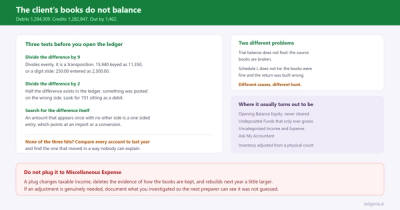
When the Client Books Do Not Balance Before Tax Prep
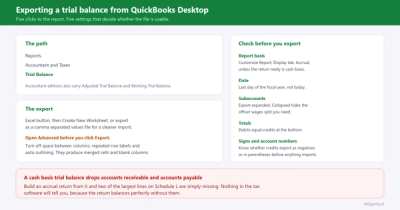
How to Export a Trial Balance from QuickBooks Desktop
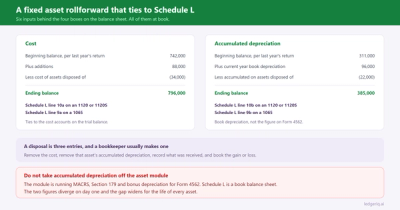
Building a Fixed Asset Rollforward That Ties to Schedule L
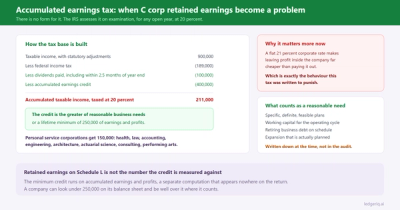
Accumulated Earnings Tax on C Corporation Retained Earnings
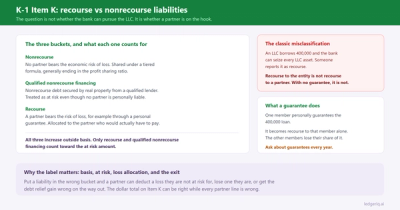
K-1 Item K: Recourse vs Nonrecourse Liabilities
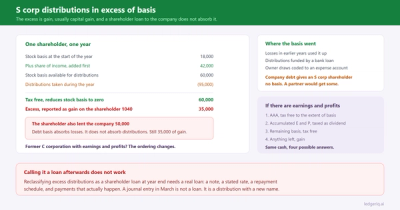
S Corp Distributions in Excess of Basis
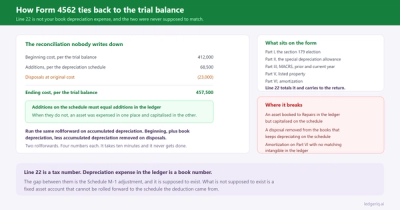
How Form 4562 Ties Back to the Trial Balance
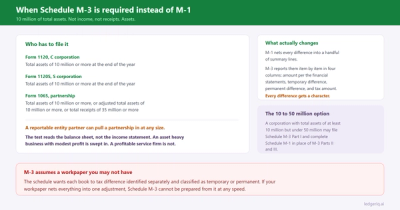
When Schedule M-3 Is Required Instead of M-1
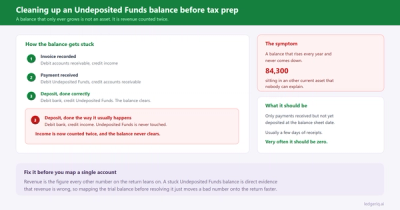
Cleaning Up an Undeposited Funds Balance Before Tax Prep
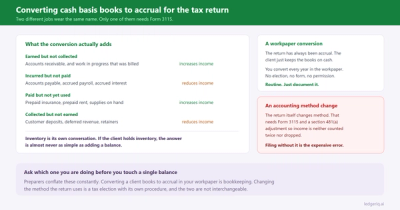
Converting Cash Basis Books to Accrual for the Tax Return
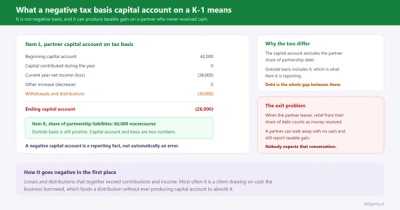
What a Negative Tax Basis Capital Account on a K-1 Means
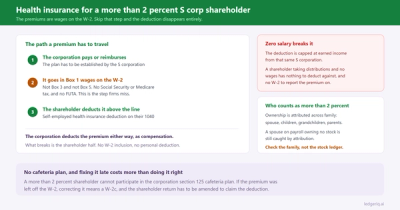
Health Insurance for a More Than 2 Percent S Corp Shareholder
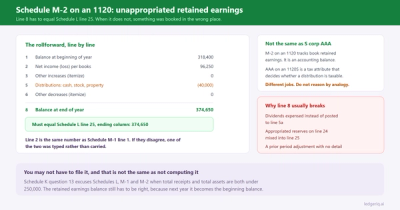
Schedule M-2 on an 1120: Unappropriated Retained Earnings
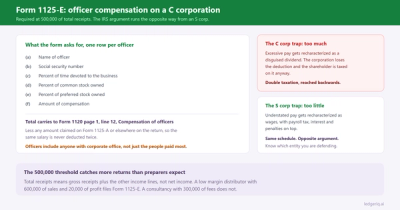
Form 1125-E: Officer Compensation on a C Corporation
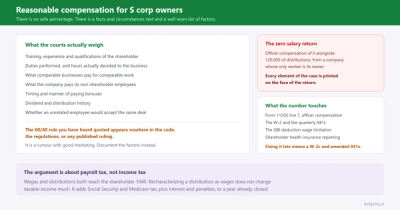
Reasonable Compensation for S Corp Owners
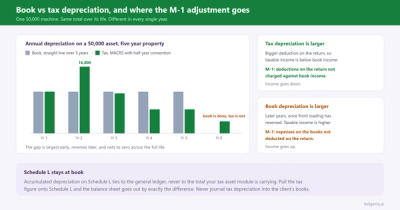
Book vs Tax Depreciation: Where the M-1 Adjustment Goes
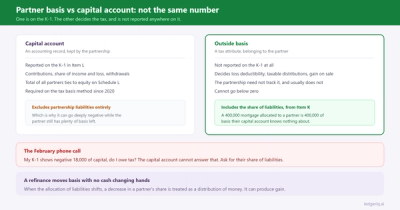
Partner Basis vs Capital Account on Form 1065
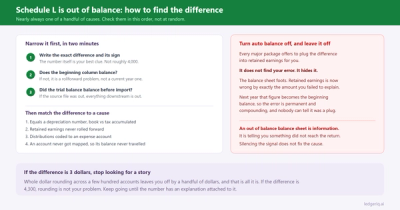
Schedule L Is Out of Balance: How to Find the Difference
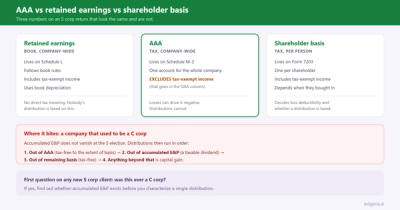
AAA vs Retained Earnings on an S Corp Schedule M-2
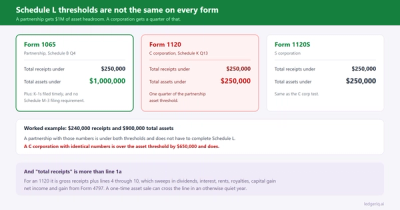
Does an 1120 Need Schedule L, M-1 and M-2?
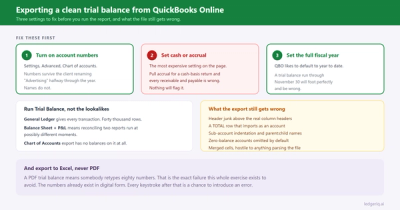
How to Export a Clean Trial Balance from QuickBooks Online
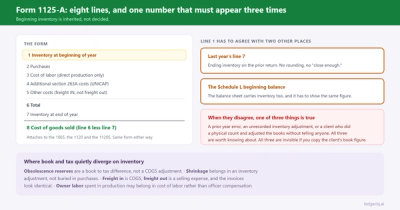
Form 1125-A: Cost of Goods Sold, Line by Line
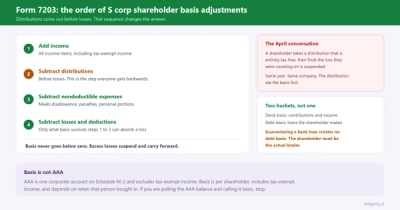
Form 7203: How to Calculate S Corp Shareholder Basis
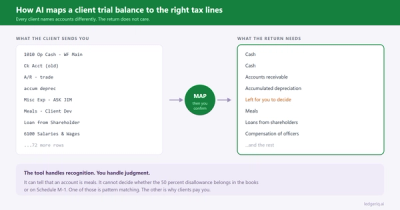
How AI maps a client trial balance to the right tax lines
How to Import a Trial Balance into UltraTax CS with Tax Codes
Why Schedules L, M-1 and M-2 Will Not Print in UltraTax CS (1065)
Where to Enter Partner Capital Accounts in UltraTax CS (1065)
How to Use the Trial Balance Utility in Lacerte
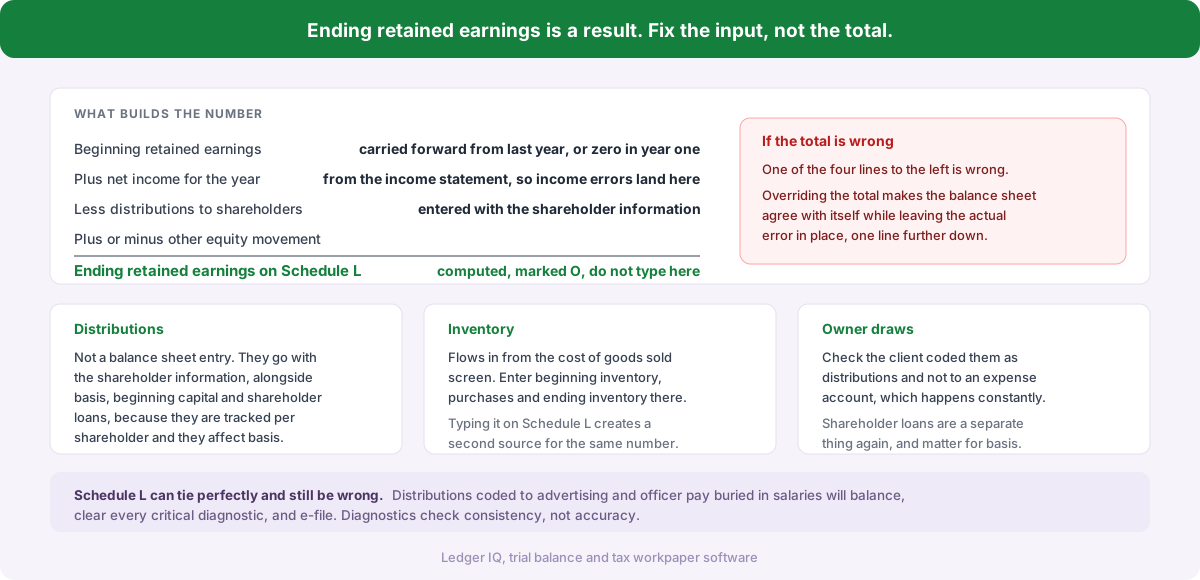
Why Lacerte Will Not Let You Type Retained Earnings on Schedule L
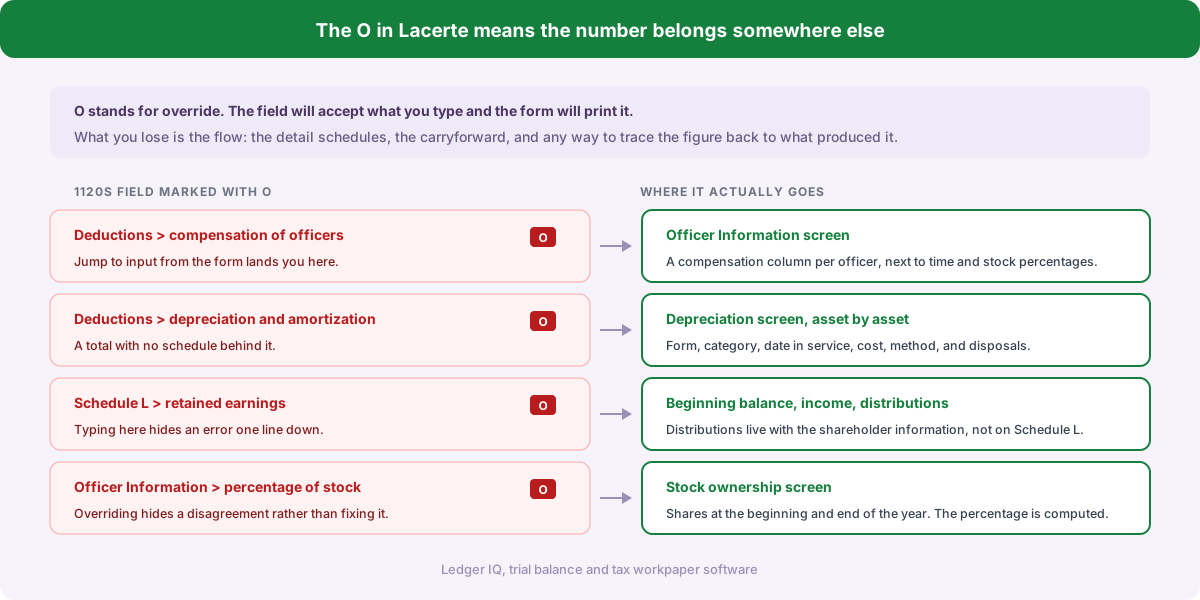
Where to Enter Officer Compensation on an 1120S in Lacerte
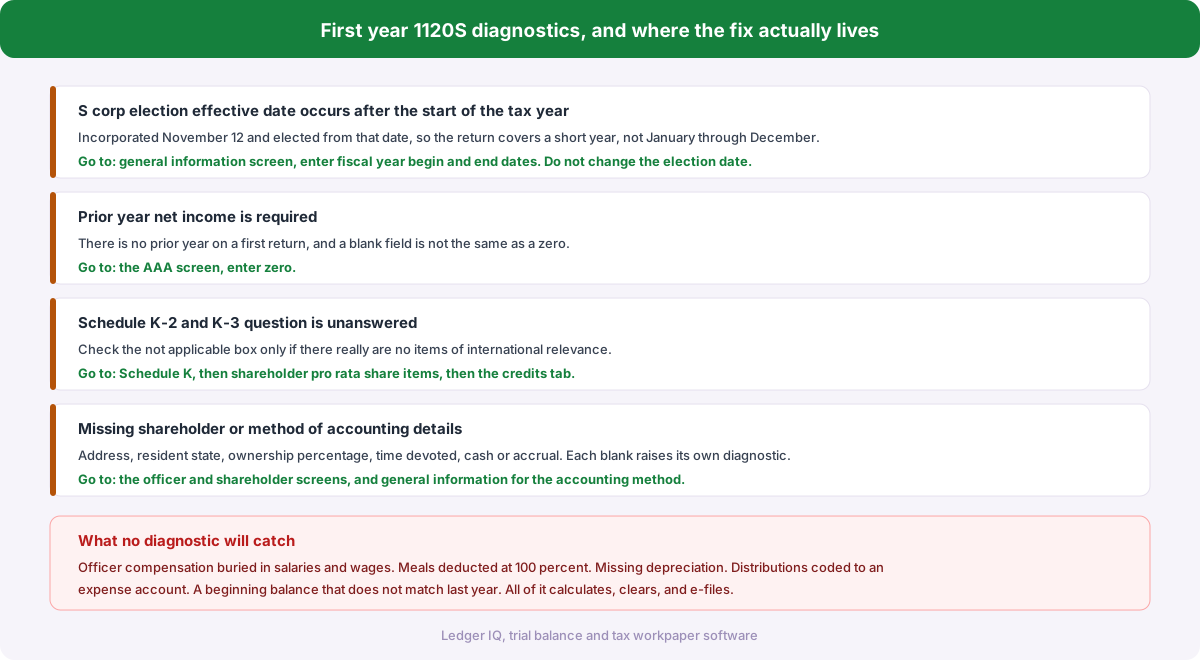
First Year 1120S Diagnostics in Drake Tax and How to Clear Them
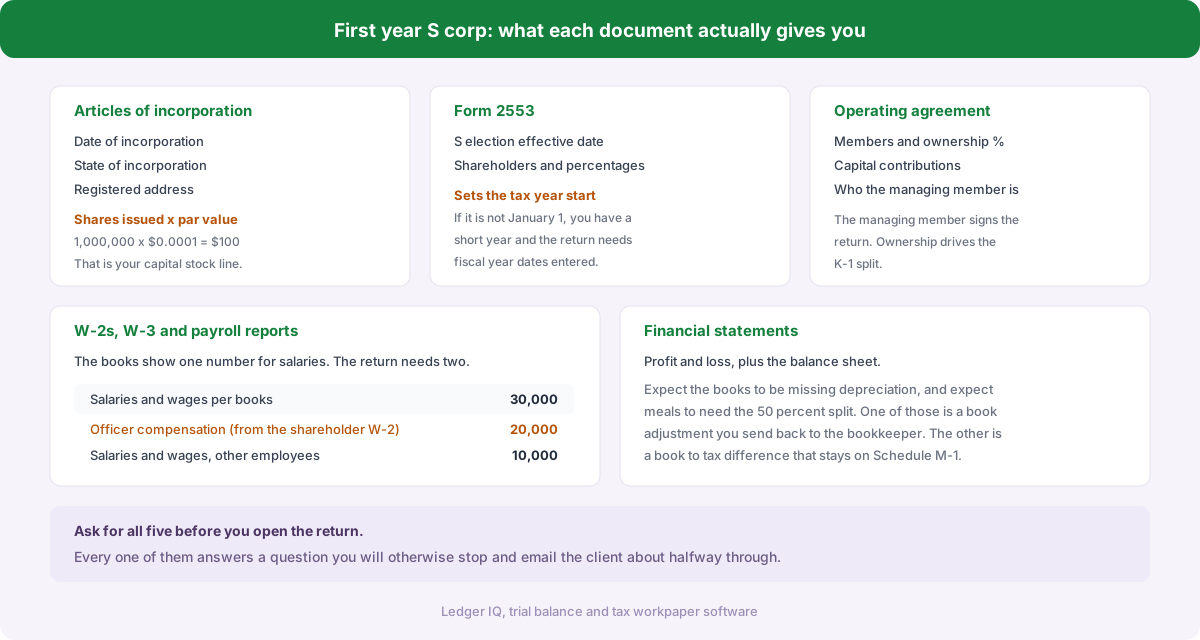
First Year S Corp Return: What to Ask the Client For
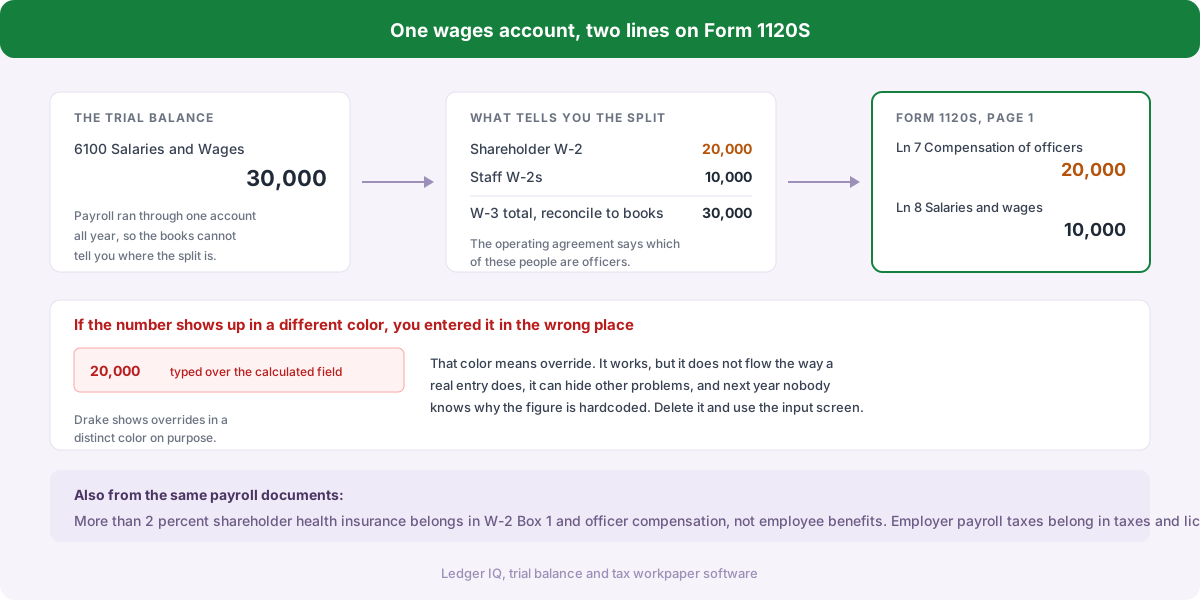
Where Does Officer Compensation Go on an 1120S in Drake Tax?
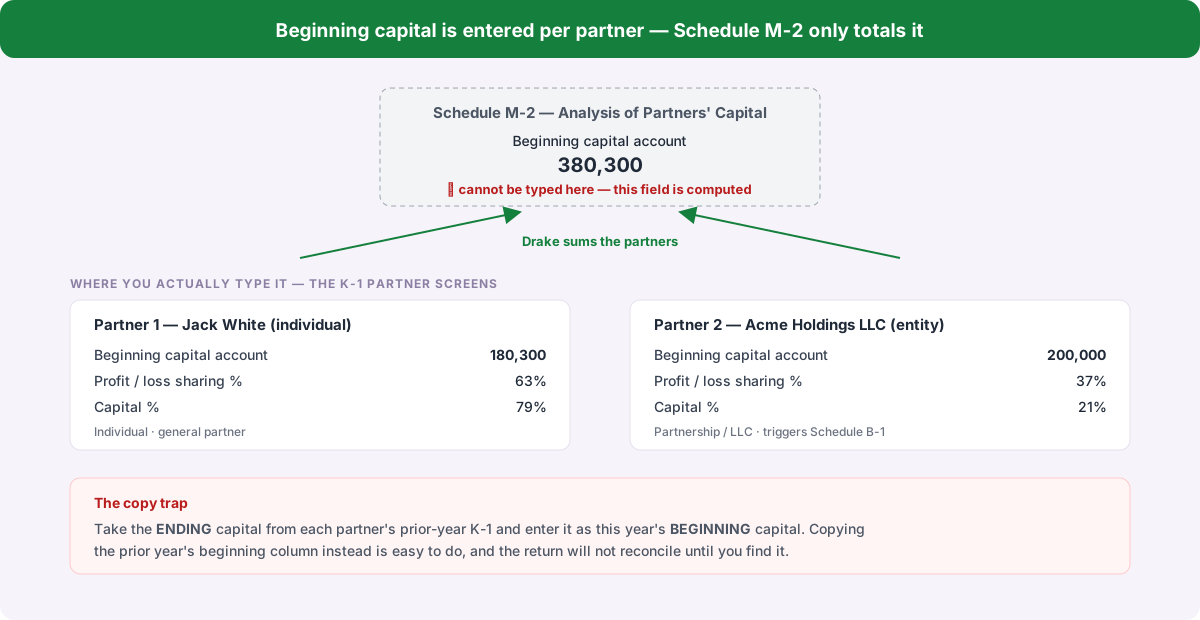
Why Drake Won't Let You Enter Beginning Capital on Schedule M-2
Do You Have to Complete Schedule L, M-1 and M-2 on Form 1065?
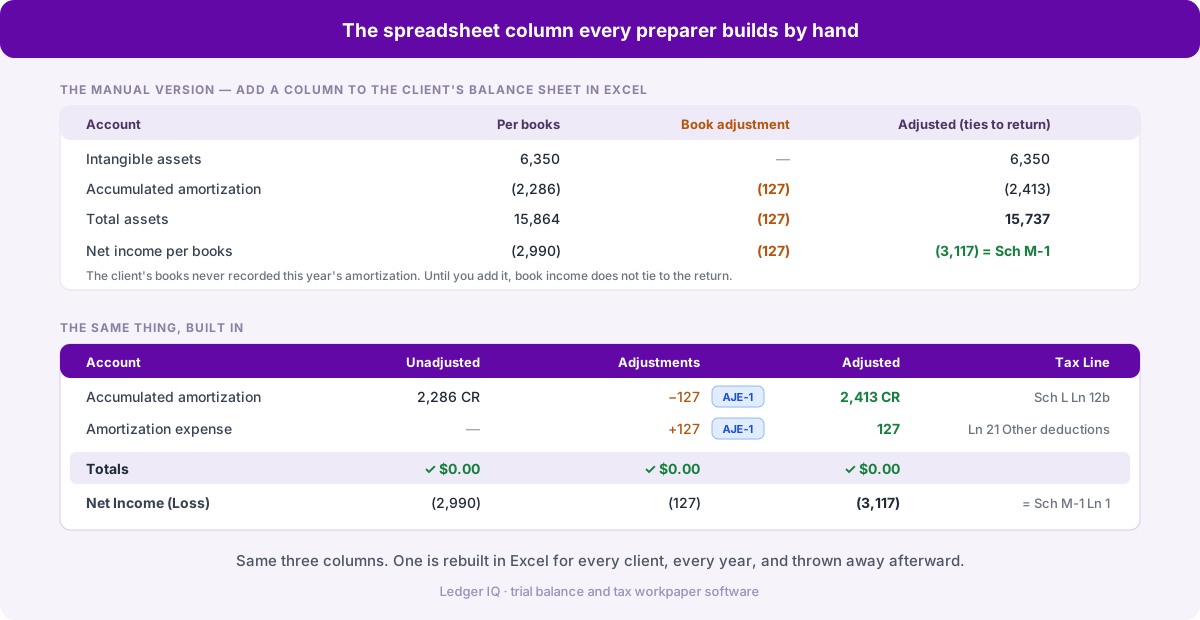
Tying the Client's Books to the Tax Return Without a Spreadsheet Column
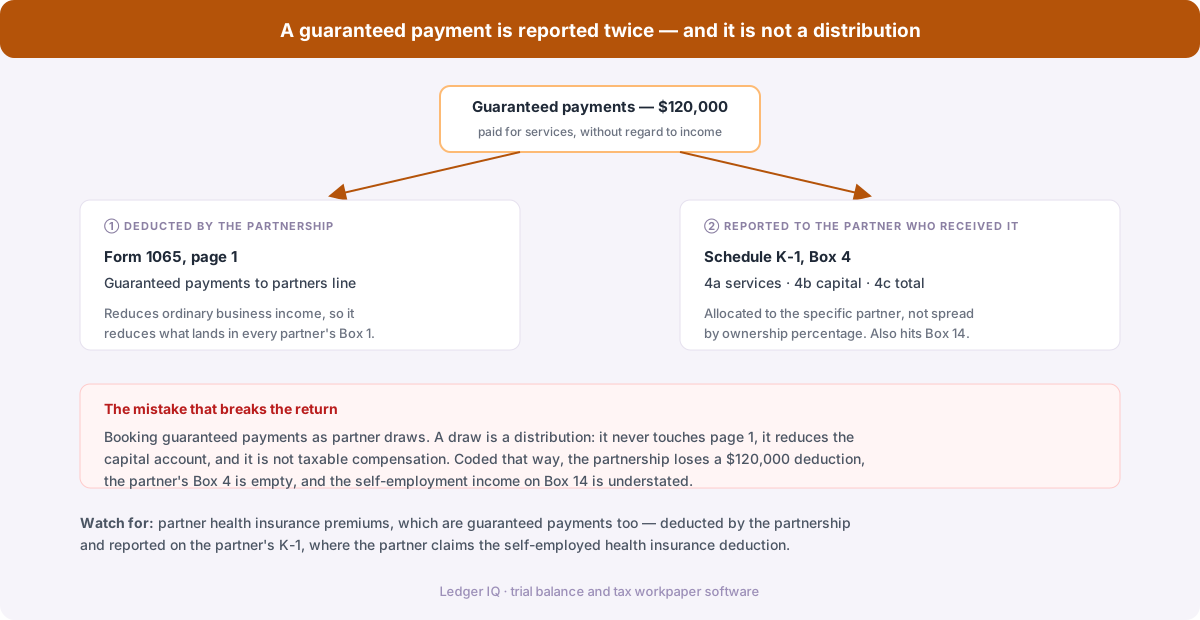
Guaranteed Payments on Form 1065: Where They Go and Why It Matters
How to Create Schedule K-1s for a 1065 in Drake Tax
Partner Capital Accounts on Form 1065: Tax Basis, Schedule L and M-2
How to Enter a Trial Balance in Drake Tax
How to Enter a Trial Balance in Lacerte
How to Enter a Trial Balance in UltraTax CS
Trial Balance Software for Tax Preparation: 7 Options Compared
Best Trial Balance File Format for Tax Software
How to Import a Trial Balance into Tax Software